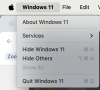
In the Windows 11 VM, click on 'Settings'. That will open the Settings app. The last entry in the Settings menu is 'Windows Update". Click on 'Windows Update" and select the "Get the latest updates as soon as they are available'. Turn the option on.
If you're referring to automatic updates in Parallels, click on the Parallels icon, select Parallels Desktop, scroll down and select "Check for Update'. To turn on automatic updates, select 'Preferences/General' and click the 'Check for updates automatically' box.