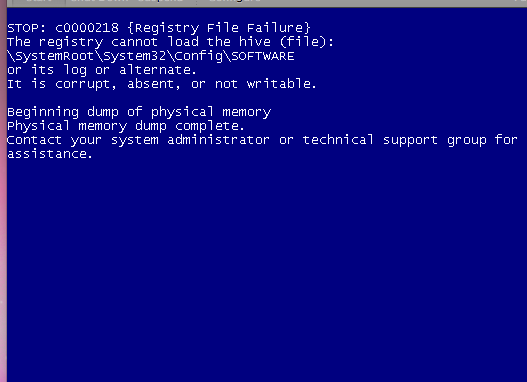
Has the convertion process finished? i.e. do you still see the "VM is upgrading" screen from Parallels?
As for now I would suppose you do not and the process has finished.
Since this error indicates that there are troubles with the hard disk and/or registry I would suggest to perform the steps described in the Micrisoft KB, to use the recovery console:
http://support.microsoft.com/kb/830084/en
1. Insert your Windows CD
2. In Virtual machine -> Configure -> Options, change the boot order to start from the CD first.
3. Press any key and wait while setup is loading files.
4. When the "Welcome to Setup" screen appears, press R to start the Recovery Console.
5. Press 1 to select the installation.
6.. I suppose you do not have the administrator account password, so press ENTER when prompted.
7. Type chkdsk /r
8. Once checkdisk would complete check whether the issue persists.
Also, you can try a Windows repair installation, for that, on step 4 press ENTER instead (start Windows installation), and when Windows setup would detect already installed Windows press R to begin the repair installation.