Hi All,
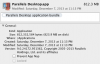
I recently updated my iMac to OS X 10.9 and, unfortunately, after I did this my version of parallels no longer works. I found my original invoice which states I downloaded version 6 originally but I'm pretty sure I upgraded to version 7. Is there a way of finding out what version I have?
On the Parallels home page, it states that the Upgrade to v9 is for original versions 6 and above. but when I click on the link, it then states it's only for v7 and above. Which is correct? I don't want to purchase the upgrade if it doesn't work for me.
Many thanks.
I recently updated my iMac to OS X 10.9 and, unfortunately, after I did this my version of parallels no longer works. I found my original invoice which states I downloaded version 6 originally but I'm pretty sure I upgraded to version 7. Is there a way of finding out what version I have?
On the Parallels home page, it states that the Upgrade to v9 is for original versions 6 and above. but when I click on the link, it then states it's only for v7 and above. Which is correct? I don't want to purchase the upgrade if it doesn't work for me.
Many thanks.