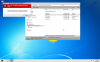
In the last few days I upgraded from Parallels 9 to 11 and upgrade Macbook Pro from Mavericks to El Capitan. Now in finder under devices there is no C: volume or windows drive. I do have the applications visible via macintosh hd-Users-my account-applications (parallel). In fact that will show the applications for both windows virtual machines.
I do have the sharing options set in configure to "Access Windows folders in Mac" checked along with both subsequent options. I have also verified that my finder preferences is checked to show hard disks. My Mac HD is visible in finder. I have reinstalled parallel tools a couple of times. Restarted both machines all to no avail. Anyone have any ideas? The VM itself seems to be running fine.
I did talk to support, the technician did the same things I did and then said that it was a Mac/Apple problems that Parallels was working perfectly. I asked for an escalated ticket, with some conveniencing I was told to look for an email with a remote login link once they have investigated the issue. They would not give me a time frame of any kind. I am off today and tomorrow and would like to get this resolved before I fly out for work this week. This is my work computer, if there is no solution any one have a work around besides copying/pasting every need folder from windows to mac separately.
Thanks,
Ziggy
I do have the sharing options set in configure to "Access Windows folders in Mac" checked along with both subsequent options. I have also verified that my finder preferences is checked to show hard disks. My Mac HD is visible in finder. I have reinstalled parallel tools a couple of times. Restarted both machines all to no avail. Anyone have any ideas? The VM itself seems to be running fine.
I did talk to support, the technician did the same things I did and then said that it was a Mac/Apple problems that Parallels was working perfectly. I asked for an escalated ticket, with some conveniencing I was told to look for an email with a remote login link once they have investigated the issue. They would not give me a time frame of any kind. I am off today and tomorrow and would like to get this resolved before I fly out for work this week. This is my work computer, if there is no solution any one have a work around besides copying/pasting every need folder from windows to mac separately.
Thanks,
Ziggy