Upgraded to Windows 10 + Parallels 14: coherence not working

DavidD30

Bit poster
Hi,
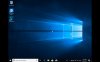
Do you have any advice as to how to solve this problem? I have reinstalled Toolbox by the way. Also, even when in full screen mode as per attached screen shot, there are 2 large vertical black bars on either side, which takes up some screen real estate!
Thanks,
David
 

Attachments

  • Screen Shot 2019-05-06 at 12.52.36 pm copy.jpg
    Screen Shot 2019-05-06 at 12.52.36 pm copy.jpg
    858.6 KB · Views: 3
Hi, did you reinstall Parallels Toolbox, or Parallels Tools?
Please reinstall Parallels tools (Actions -> reinstall tools), restart your VM and check the issue.
 
Hi Maria,
Thanks for your quick reply.
Yes, I have reinstalled Parallels Toolbox (see attached) and restarted both OS several times, but unfortunately coherence is still not available. And using the 'Switch resolution' function in Toolbox is not making a difference. I have also tried reinstalling Tools but the system is telling me I need the original installation disk - is there a link to download this perhaps?
Do you have any other suggestions?
Thanks,
DD
 

Attachments

  • Screen Shot 2019-05-07 at 11.36.54 am copy.jpg
    Screen Shot 2019-05-07 at 11.36.54 am copy.jpg
    222.5 KB · Views: 1
Hi Maria, I have solved this issue now - I think it was a connectivity problem. I cleaned up my mac over the weekend and this time the Tools could be downloaded. Thank you.
 
Back
Top