Upgrading from Parallels 9 to 11

Hi @MarkusS1 please perform the following steps:
1. Remove Parallels Desktop application completely using the Remove Tool from this KB
(Please note that your VMs will be saved)
2. Install the Parallels Desktop once again and check the issue.
 
Didn't work. I'm also wondering why I still was logged in to my account on the activation window, when I completely removed Parallels Desktop before with the Remove Tool.

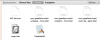
I found some files after using the Remove Tool. Do they belong to Parallels?
 

Attachments

  • Bildschirmfoto 2015-08-19 um 19.17.09.png
    Bildschirmfoto 2015-08-19 um 19.17.09.png
    105 KB · Views: 3
Last edited:
Didn't work. I'm also wondering why I still was logged in to my account on the activation window, when I completely removed Parallels Desktop before with the Remove Tool.

I found some files after using the Remove Tool. Do they belong to Parallels?
If you remove the Parallels Desktop application it doesn't meat that you remove your license key or Parallels account..you need you account for key registration, but the application works separately.
 
Back
Top