Hi
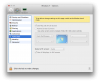
I'm running Parallels for mac 8.0.18101 under Mountain Lion 10.8.1 and activating "Use Mac OS X Full Screen" does not make the VM window behaving like it should. As any other apps, when switching to full-screen mode, it should open in a separate dedicated space AND I should see an "exit full screen" button next to the "notifications center" button on the task bar.
Am I missing something here or is it a bug ?
"Use Mac OS X Full Screen" does work as expected with Parallels for mac 7. Why would that change with PD8 ?
Thank you for your help
I'm running Parallels for mac 8.0.18101 under Mountain Lion 10.8.1 and activating "Use Mac OS X Full Screen" does not make the VM window behaving like it should. As any other apps, when switching to full-screen mode, it should open in a separate dedicated space AND I should see an "exit full screen" button next to the "notifications center" button on the task bar.
Am I missing something here or is it a bug ?
"Use Mac OS X Full Screen" does work as expected with Parallels for mac 7. Why would that change with PD8 ?
Thank you for your help
Last edited: