Microsoft has changed in Vista's the user folders from XP's "C:\DOCUMENTS AND SETTINGS\~" to "C:\USERS\~"
Therefore, in Vista when using a windows app, clicking DESKTOP in the Save/Save AS dialog box points to the C:\USER location. The mapping somewhat works properly in Vista from the Explorer...but not from Office Aps (possiblly others).
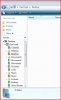
Attached is a snapshot of Vista Explorer. The second folders (DESKTOP/DOCUMENTS/MUSIC/PICTURES) are visible here.
The Shared Profile Folders works perfectly in Windows XP.
Using fresh installs of:
MAC OSX 10.5.6
WINDOWS Vista SP1
Parallels Dktop for Mac 4.0.3810
Therefore, in Vista when using a windows app, clicking DESKTOP in the Save/Save AS dialog box points to the C:\USER location. The mapping somewhat works properly in Vista from the Explorer...but not from Office Aps (possiblly others).
Attached is a snapshot of Vista Explorer. The second folders (DESKTOP/DOCUMENTS/MUSIC/PICTURES) are visible here.
The Shared Profile Folders works perfectly in Windows XP.
Using fresh installs of:
MAC OSX 10.5.6
WINDOWS Vista SP1
Parallels Dktop for Mac 4.0.3810