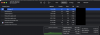
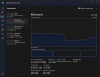
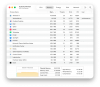
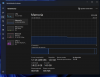
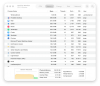
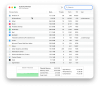
Running Mac OS 26.4, Parallels 26.3 with Win 11 VM. Throughout the day the memory on Mac OS keeps increasing. VM is set to (6) vCPU and 16GB memory. Last couple days VM was well over 100GB memory. Eventually VM becomes unusable. I see some old posts around, no solutions. Thoughts?
Wanted to let community know, I tested between two different MBP M5 Max machines and problem persisted. Parallels Team had me build a new VM and the problem persisted. Was able to share some screenshots and diagnostics with them. They advised me to install ParallelsDesktop-26.2.2-57373.dmg. Ran all day today and zero issues with memory.
Shut down VM and MBP last night. Started up at 09:00 today. Not a have workload. And it's been creeping up all day.
Hello @SystemsGuy, We are sorry about your experience. We have created a ticket to assist you with this issue and will contact you at b****@ne*****.net with further updates. Best regards.
Wanted to let community know, I tested between two different MBP M5 Max machines and problem persisted. Parallels Team had me build a new VM and the problem persisted. Was able to share some screenshots and diagnostics with them. They advised me to install ParallelsDesktop-26.2.2-57373.dmg. Ran all day today and zero issues with memory.
Try the version of Parallels I posted above. I even increased my vm to 24GB of memory. It's been great.
Hi, I just wanted to say I have the same problem. I´m on a Macbook Pro M3 Pro with macOS 26.5 and Parallels 26.3.3 and I have being experimenting this issues for some weeks now. I have allocated 20 GB of RAM to the VM but lately I have been keeping an eye on the activity monitor and noticed that Parallels keeps reserving more memory that what its assigned. Once it got up to 64 GB!!! My machine has 36 GB of RAM so it wasn't obviously using that much RAM but it had it reserved, what causes my memory pressure to be constantly yellow and for macOS to do some swap when it didn't need to. If I restart the VM it keeps the memory reserved, if I shut it down and on again it takes only 20GB but slowly start to creep up again. I want to be honest, since I use the VM for work I don't intend to do testing downgrading to the version mentioned above (26.2.2) since its easily resolved by shutting down the VM daily, I will wait for the bug been fixed in an update later, but wanted to let everybody know that its not an isolated bug, its a memory leak present in the lastes releases that needs to be fixed.
Here are some more examples from yesterday, Windows wasn't even using that much RAM from its assigned 20 GB of RAM but Parallels had reserved 43GB of RAM anyways; all got released as soon as I shutdown the VM.
The memory leak/reservation strikes again. This was on version 26.3.3-57507, I will update to 26.4.0-57513 to see if the issue is resolved or not and let you know.
I'm experiencing this issue too. Downgrading to ParallelsDesktop-26.2.2-57373.dmg resolves the issue because the memory leak was apparently introduced after that version. But this really needs to be fixed, as we need the fixes and features in subsequent releases, especially: Updates Secure Boot keys to the Microsoft 2023 certificate chain for existing Windows 11 virtual machines Fixed: Files from Windows virtual machines could not be opened directly in macOS applications such as Microsoft Word, Microsoft Excel, and Preview after updating the Mac to macOS 26.4. Fixed: Copying and pasting files between a Windows virtual machine and the macOS desktop stopped working after updating the Mac to macOS 26.4. Fixed: Attachments in Microsoft Outlook would not open in Windows virtual machines. When can we expect engineering to fix the memory leak?
I upgraded to 26.4.0 last Friday on a whim in order to correct TPM cert issues my VM had on 26.2.2. I figured I would downgrade again a day or two later. Whelp, 26.4.0 seems to have corrected my previous memory leak issue. I did reboot yesterday, previously it would climb throughout the day. So far so good. I suspend in the evening when I remember. I will let it run the rest of the week and report back.
It's been only 2 days since I updated to 26.4.0-57513 and until now the VM seems to be fine again. Yesterday after 8 hours of work I checked and the VM had reserved only 21 Gb of RAM ¿, which seams perfect since I have assigned 20 GB in the settings. I will keep an eye on the activity monitor for the next few days and report back if the RAM reservation keeps stable. The thing that is still driving me crazy is the fact that the VM can get DHCP when using bridged wifi adapter, I still need to manually assign a valid IP every time I connect to a different network, this has been a reported issued for months now.