
I am running Windows 10 on Parallels Desktop 12 for Mac. The computer is running OS 10.10.5. I installed a Parallels update yesterday that has rendered my virtual machine useless and I cannot do my job.
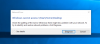
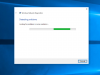
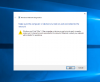
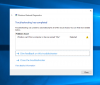
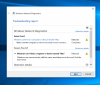
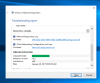
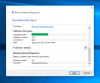
Immediately after running the update, upon opening Windows, I got the "Windows cannot access \\Mac\Home\Desktop" message (attached "Windows cannot access" image). The background does not have any files or shortcuts on the desktop. Here's the real kicker - the mouse doesn't work in Windows; thankfully it still works for all Mac stuff. That means I can't go in and do anything to fix it!! I used the keyboard to select "Diagnose" but it doesn't get me anywhere (attached "Win Net Diag" files).
I've deduced through forums and KB articles it's probably a problem with Parallel Tools. So I
a) try Reinstall Parallel Tools through the Actions menu and I get a popup in Windows that says "DVD Drive (D: ) Parallels Tools / Select to choose what happens with this disc." which of course I can't because my mouse won't work. Next...
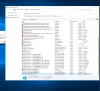
b) navigate to the Windows Control Panel to remove it as directed by a KB article. It's not there. (attached "Uninstall Program")
So, I uninstalled Parallels by dragging it and Parallels Toolbox into the Mac trash. Restarted. Downloaded a new Parallels 12. Installed. Same problem with Windows. Same problem with not being about to Reinstall Parallels Tools.
I also tried using Time Machine to restore Parallels to two days ago, but no luck (not surprised).
I am dead in the water. Please HELP! Many thanks.

Immediately after running the update, upon opening Windows, I got the "Windows cannot access \\Mac\Home\Desktop" message (attached "Windows cannot access" image). The background does not have any files or shortcuts on the desktop. Here's the real kicker - the mouse doesn't work in Windows; thankfully it still works for all Mac stuff. That means I can't go in and do anything to fix it!! I used the keyboard to select "Diagnose" but it doesn't get me anywhere (attached "Win Net Diag" files).
I've deduced through forums and KB articles it's probably a problem with Parallel Tools. So I
a) try Reinstall Parallel Tools through the Actions menu and I get a popup in Windows that says "DVD Drive (D: ) Parallels Tools / Select to choose what happens with this disc." which of course I can't because my mouse won't work. Next...
b) navigate to the Windows Control Panel to remove it as directed by a KB article. It's not there. (attached "Uninstall Program")
So, I uninstalled Parallels by dragging it and Parallels Toolbox into the Mac trash. Restarted. Downloaded a new Parallels 12. Installed. Same problem with Windows. Same problem with not being about to Reinstall Parallels Tools.
I also tried using Time Machine to restore Parallels to two days ago, but no luck (not surprised).
I am dead in the water. Please HELP! Many thanks.