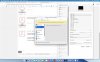
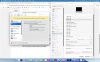
Was the "Resolution" options under Hardware > Graphics removed?

WilliamH11

Bit poster
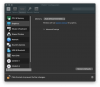
I'm running Parallels Desktop 15 Pro Edition (v15.0.0 46967). I do not have the "Resolution" option under the Hardware > Graphics settings for my Windows 10 VM. I'm having some issues with the resolution changing on its own and while troubleshooting I discovered this setting missing.
 

Attachments

  • Screen Shot 2019-09-10 at 10.31.54 AM.png
    Screen Shot 2019-09-10 at 10.31.54 AM.png
    112.2 KB · Views: 8
I'm running Parallels Desktop 15 Pro Edition (v15.0.0 46967). I do not have the "Resolution" option under the Hardware > Graphics settings for my Windows 10 VM. I'm having some issues with the resolution changing on its own and while troubleshooting I discovered this setting missing.
Hi, there was no resolution tab under "Graphics" settings from 11 version..
Could you share with us more detailed info about your resolution changing issues?
 
I also have no "Resolution" option under Graphics settings for any of my VMs (Windows 10, Windows XP, macOS Mojave). I'm running Parallels Desktop 16.1 on macOS Big Sur v11.0.1 (20B5022a). Please could you tell me if there is a solution to this problem, because my Windows 10 VM keeps automatically suspending when I try and type in the search bar or open certain programs, and I want to change the graphics settings incase it solves this involuntary suspending
 
Oops, I didn't read the first line of Maria@Parallels reply "there was no resolution tab under "Graphics" settings from 11 version.." I will have to find out why I can't type in the Windows 10 search bar without the VM suspending another way
 
Just for future reference, resolution option IS still there, it just disappears if you set you macos resolution to a much higher number by clicking on "show list" and "show all resolutions" (by default in macos Settings>Displays will show thumbnails called 'default', 'more space' etc.

If I set macos resolution to anything higher than 'more space' which is 1680x1050, for eg to 2048x1280 (which is what i prefer) or 2560x1600 (which is too small text/icons for me) then the options in parallels VM>settings/configuration> Hardware > Graphics disappear. But if i keep it 1680x1050 or 'more space' then it shows -- 'best for retina display' and scaled and best for external display.

Screenshot 2026-04-03 at 9.56.51 AM.jpg

Screenshot 2026-04-03 at 9.56.13 AM.jpg
 
Back
Top