Web-based applications do not work under "Shared networking" connection...

Port 80 is already opened, no need to do additional operation, it means outgoing connection

Let us go further- do you have antivirus, please disable it temporary
What is actually logged in c:\Windows\WindowsUpdate.log?
 
Please see Windows Update logs both for Shared and Bridged Networking modes are in attachment.

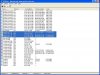
Also there is a screenshot of Tcpview while running Windows Update in Shared Networking Mode.
 

Attachments

Errors exactly shows proxy errors,
http://support.microsoft.com/kb/836941 check this solution

Method 1: Home users or users who are not behind a proxy server


Step 1: Verify Internet connectivity

Verified!

Step 2: Verify your personal firewall program settings

I don't use any firewall on either host Mac OS X or guest Windows XP. Standard Windows XP firewall is disabled at all...

Step 3: Disable software accelerator programs

I don't have any...

Step 4: Add the Windows Update Web site and the Microsoft Update Web site to the Trusted Sites list

I've already done this...

Step 5: Remove entries for Windows Update and Microsoft Update from the hosts file

There is no line that contains "microsoft" and "update" in my %windir%\system32\drivers\etc\hosts file...

I suppose that the problem is in Parallels NAT network inteface, because, again, if I switch to Bridged Newtorking mode without any changes in guest Windows XP the Windows Update is running normally...

One more thing - today I've noticed that in Shared Newtorking mode I can't upload any attachment to this forum from Internet Explorer under guest Windows XP. Inernet Explorer behaves like it tries to send something to forum but it's failed. Again in Bridged Newtorking mode everything works normally.
I'm sure that this issue is connected with the main problem.

Any suggestions?
 
Last edited:
I suppose we are doubling the ticket and this thread
I think there are some incorrect settings in router, as I mentioned situation can occur only when some restrictions are set to router
 
I suppose we are doubling the ticket and this thread

I see no problem with that, because I'm legal registered user.

I suppose we are doubling the ticket and this thread
I think there are some incorrect settings in router, as I mentioned situation can occur only when some restrictions are set to router

What could be that "some restrictions are set to router"???

How can I check for sure whether it's router or Parallels NAT interface?
 
I see no problem with that, because I'm legal registered user.
Just double writing :)

What could be that "some restrictions are set to router"???

How can I check for sure whether it's router or Parallels NAT interface?

The simple way is to connect Mac to internet, and assign public IP to Mac, and use shared network in VM, and this will reveal situation.
Another way to try some Public Wireless lan, where you sure no restriction
 
I see solution in following:
1. Reset all router settings (to set it to default)
2. Ask in wifi router support group about problem, if you can find some information about similar problem and post it here, this can give us a clue to continue
3. Check what is the router model and is there any firmware update.
Sometimes routers and switches have "black holes" (packets just loose) and update can resolve situation
 
I see solution in following:
1. Reset all router settings (to set it to default)
2. Ask in wifi router support group about problem, if you can find some information about similar problem and post it here, this can give us a clue to continue
3. Check what is the router model and is there any firmware update.
Sometimes routers and switches have "black holes" (packets just loose) and update can resolve situation

How can I explain to my "wifi router support group" that in Parallels Desktop Bridged Networking Mode everything works fine, but in Shared Networking mode there is "black holes" (packets just loose)?

They will definitely bounce me back to Parallels Desktop support group, won't they?
 
Last edited:
Ask in group may be there are known problems when packets are going through NAT twice, not necessarily Parallels Shared Networking ,
btw, if you have Windows XP PC, you can set ICS there and use Bridged Ethernet in 192.168.0.x range and I suppose you will see the same thing.
in this case 1st NAT is router, second NAT is real Windows XP ICS
 
Ask in group may be there are known problems when packets are going through NAT twice, not necessarily Parallels Shared Networking ,
btw, if you have Windows XP PC, you can set ICS there and use Bridged Ethernet in 192.168.0.x range and I suppose you will see the same thing.
in this case 1st NAT is router, second NAT is real Windows XP ICS

I'm ready to try using ICS on Windows XP PC. Can you provide more details on this way of checking? Do I need two PC's or just one PC?
 
You need one PC, which is connected to wifi router (I assume PC has wifi card), and either Ethernet or another wifi card
1. Share Internet Connection using Wifi card on PC, and allow other users to connect to Internet using Ethernet connection or another Wifi
2. In this case Ethernet or another wifi card will be set to Ip 192.168.0.1 and will be able to provide DHCP
3. Connect Mac to Ethernet or to another wifi card (You need to create network on PC second wifi card if you are using wifi to allow Mac to connect to Internet)- in case you are using Ethernet turn off AirPort on Mac
4. On VM, set Bridged Ethernet, and you will get double Nat

For more information about Internet Connection sharing please see http://support.microsoft.com/kb/306126

I will attach picture a bit later to make thing more clearer
 
Back
Top