Ok, I'm experiencing a very common, dreaded problem. I have Windows 7 loaded in parallels on my Macbook w/ Retina display. When I plug in my mac into my Thunderbolt display, my Windows environment appears to be mostly scaled correctly. However, when I right-click in Windows to bring up a context menu, the context menus are always super-small and completely unreadable.
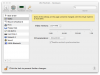
Most instructions that I've found online tell you to go to the Virtual Machine>Configure... screen, and in the Hardware>Video area, set the resolution. The problem is that I do not have the resolution option that constantly see referenced.
How can I cut this feature on so that I can try to adjust the parallels settings to work properly with my display?
Most instructions that I've found online tell you to go to the Virtual Machine>Configure... screen, and in the Hardware>Video area, set the resolution. The problem is that I do not have the resolution option that constantly see referenced.
How can I cut this feature on so that I can try to adjust the parallels settings to work properly with my display?