Win XP will not boot! Stuck at bios "trying to boot from primary"

samsami

Bit poster
Hello,
I'm running windows XP on Parallels 5

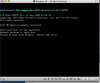
I got an error msg saying windows was out of space, so using parallels image tool, I increased the virtual machine size from 32gb to 64gb, and since then Windows will not boot up. The bios comes up, checks the memory, checks the drives, shows "trying to boot from primary master IDE drive ..." and the HDD icon at the bottom shows disk activity, but after 30 minutes, still no windows.

I've tried taking the image size back to 32g, but will not let me go back, I can only use the tool to Increase the size, not reduce.

I am on a tight deadline and this is driving me nuts!

Please help!!
 

Attachments

  • Picture 2.png
    Picture 2.png
    33.3 KB · Views: 16
Hi please follow below link and let me know if problem is there
1.gif

http://satyanarayan-m.blogspot.com/2011/10/win-xp-will-not-boot-on-parallels-5.html
 
Last edited:
please let me know are you able to boot from cd or not ,if yes ,after licence agreement is should reflect the detected harddisk if not as screen saying no scsi installed means this version & the SCSI controller installed on you system not doesn't meet their requirement
1.gif
 
Last edited:
Hmm... this problem does not related to SCSI anyhow...
To recognize SCSI disk under XP additional drivers for SCSI adapter is needed.
 
thanks everyone

First off, thanks to you all for your suggestions!

Secondly, I don't think this is a scsi issue, the bios just seems to be searching for hard drives and going through the list. I do have an normal ide drive, which is where I was booting from before. But, now, the bios just gets stuck trying to identify or initialize the hard drive. It never even begins loading a command line or booting windows, so I can't run fdisk or any other diagnostics.
It looks like the only solutions would be applied either in the Parallels BIOS, parallels options in OSX, or w/the disk diagnostics in OSX.
 
I'm sorry, but I forgot to point that you need to change VM boot sequence to be able boot from DVD.
You can change boot order at VM configuration "Configure->Hardware->Boot Order"
 
michelsmith it is not bootcamp VM we are talking about.
So, I suppose all files will be deleted or moved to trash.

Your solution is good but only for bootcamp.
 
In this case you'd better delete your old Virtual Machine (Choose File > Delete from Parallels Desktop menubar) and create new one.
You would not loose any data, as only configuration files will be recreated.
To create new Virtual Machine:
- choose File -> New -> Virtual machine from Parallels Desktop top menu. The installation Assistant will guide you through the process.
- select "Custom" option in Virtual Machine Type window
- choose "Boot Camp Partition" when asked about hard disk options.
 
Back
Top