

strells
Product Expert
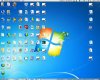
I'm not sure if this is related to http://forum.parallels.com/showthread.php?292017-Mouse-Click-Position-Off-Under-Mavericks so I'm posting separately. When in Coherence, my external display has Windows full screen apps shifted down by the height of the Mac OS X menu bar. Because of this, clicks register *above* where they should. See the attached photo of Remote Desktop Connection in Win 7 to see what I mean.
Meanwhile, full screen view, either Parallels or Mac OS X does not access the external display at all! I've tried reinstalling Tools multiple times to no avail.
Strangely enough, though, with RDC running on the external display, I can select "Enter Full Screen" from the OS X View menu and just the external display goes full screen, shifting RDC into the correct position! The internal MBP screen is still in Coherence!
Weird.
Steve
Meanwhile, full screen view, either Parallels or Mac OS X does not access the external display at all! I've tried reinstalling Tools multiple times to no avail.
Strangely enough, though, with RDC running on the external display, I can select "Enter Full Screen" from the OS X View menu and just the external display goes full screen, shifting RDC into the correct position! The internal MBP screen is still in Coherence!
Weird.
Steve
Last edited: