the iso has been found at the described location, but the application won't start, there's a warning sign top right beside the gear, and nothing happens.No not exactly the same to find when your vm is on go to the CD View attachment 16023 Select connect Image
A finder search window will come up then: go to Applications>Parallels desktop app>Contents>Resources>Tools>Prl-tools-mac.iso click on the tools for Mac.
the install should start.

Install the app
How to install the app on iOS
Follow along with the video below to see how to install our site as a web app on your home screen.
Note: This feature may not be available in some browsers.
You are using an out of date browser. It may not display this or other websites correctly.
You should upgrade or use an alternative browser.
You should upgrade or use an alternative browser.
Windows 10 and older MacOS VMs in Parallels 15 together?
- Thread starter robbie1
- Start date
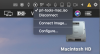
yes. Unfortunately, to no avail, even with disconnecting and reconnecting the image.Have you tried to restart the vm?
i've done everything you've suggested, even restarted the computer physically. The thing is that the Win 10 works smoothly, on Mojave VM i can't even set another display mode, let alone the installation or reinstallation of the Parallels Tools. Moreover, from time to time the Win VM applications mess up when Mojave VM is also active - MS Word could be repaired only after the reinstallation of Parallels Tools for Windows - yes, there is 'reinstall'. On Mojave VM is always 'install' and a warning sign, no action...Make sure image is connected. and try information from post 15. it may say install parallels tools not reinstall parallels tools.

kat
Product Expert
Hi Robbie ,
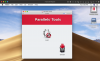
I have one more thing for you to try, when you navigate to the Parallels tools iso and select it and you go back to the desk top do you see a hard drive listing Parallels tools? If you do double click the HD icon then proceed to install Parallels tools by clicking on install. If This doesn't work I will be asking if there is a command line you can use in terminal.
I have one more thing for you to try, when you navigate to the Parallels tools iso and select it and you go back to the desk top do you see a hard drive listing Parallels tools? If you do double click the HD icon then proceed to install Parallels tools by clicking on install. If This doesn't work I will be asking if there is a command line you can use in terminal.