Windows 10 installation failed on new MacBook Pro Retina

SaeedB

Bit poster
Hi,

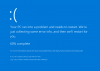
I'm trying to install Windows 10 on my new MacBook Pro Retina (2016, macOS Sierra) via Parallels Desktop 12.1.3 (41532). However, as soon as the installation wizard wants to reboot the Windows a blue screen appears with the following message: " Your PC ran into a problem and needs to restart ....if you'd like know more you can serch online latter for this eror. SYSTEM_THREAD_EXCEPTION_NOT_HANDLED". Any idea how to fix this?
 
Last edited:
Hi,

I'm trying to install Windows 10 on my new MacBook Pro Retina (2016, macOS Sierra) via Parallels Desktop 12.1.3 (41532). However, as soon as the installation wizard wants to reboot the Windows a blue screen appears with the following message: " Your PC ran into a problem and needs to restart ....if you'd like know more you can serch online latter for this eror. SYSTEM_THREAD_EXCEPTION_NOT_HANDLED". Any idea how to fix this?
Hi, please try to untick "express installation" and check.
 
I have the exact same problem on one MacBook Air and two iMac.
The configuration is as follow:
MacBook Air 13" Early 2015 with osx 10.11.6 and Parallels 12.1.3 (41532) Windows 10
iMac 21.5" 4K Late 2015 with osx 10.12.2 and Parallels 12.1.3 (41532) Windows 10
I have tested standard installation and express installation, with the same result. A blue screen with the text " Your PC ran into a problem and needs......" and error code SYSTEM_THREAD_EXCEPTION_NOT_HANDLED

/Per
 
I have the exact same problem on one MacBook Air and two iMac.
The configuration is as follow:
MacBook Air 13" Early 2015 with osx 10.11.6 and Parallels 12.1.3 (41532) Windows 10
iMac 21.5" 4K Late 2015 with osx 10.12.2 and Parallels 12.1.3 (41532) Windows 10
I have tested standard installation and express installation, with the same result. A blue screen with the text " Your PC ran into a problem and needs......" and error code SYSTEM_THREAD_EXCEPTION_NOT_HANDLED

/Per
Hi, did you try this solution?
 
I have the same issue after updating to build 15063 (fast ring)
It seems when i boot in safe mode and remove display driver, for the next reboot.
 
Here it is..

f8ec5540-b6e5-43b1-881d-41e29ccc28da
 

Attachments

  • upload_2017-4-3_9-53-42.png
    upload_2017-4-3_9-53-42.png
    156.7 KB · Views: 12
Back
Top