
Install the app
How to install the app on iOS
Follow along with the video below to see how to install our site as a web app on your home screen.
Note: This feature may not be available in some browsers.
You are using an out of date browser. It may not display this or other websites correctly.
You should upgrade or use an alternative browser.
You should upgrade or use an alternative browser.
Windows 10 Preview 2 - Coherence Mode
- Thread starter EyanS
- Start date
jtdavidson83
Bit poster
Yes, same issue here as well.
Hi All,
Thanks for bringing this to our attention.
Our developers are aware of this issue and they are working on a fix.
The fix will be available in one of the future builds/ versions of Parallels Desktop.
You can track the changes to the current version by subscribing to update summary at http://kb.parallels.com/122720
Thanks for bringing this to our attention.
Our developers are aware of this issue and they are working on a fix.
The fix will be available in one of the future builds/ versions of Parallels Desktop.
You can track the changes to the current version by subscribing to update summary at http://kb.parallels.com/122720

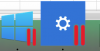
Apparently WSHE still opens but a new window appears as well upon the first launching of parallels it is called Settings [1].
Cortana appears if the cursor hovers too long on the tiles.
Although WSHE and Cortana can be closed, Settings [1] remains open regardless of trials.
Cortana appears if the cursor hovers too long on the tiles.
Although WSHE and Cortana can be closed, Settings [1] remains open regardless of trials.
Attachments
William Fulmer
Junior Member
Same problem here.

Pagemakers
Member
Same problem here after installing windows 10 release version
Pagemakers
Member
same here!!!
Why isn't Parallels responding? When can we expect a fix?
https://forum.parallels.com/threads...ults-in-full-white-screen.329076/#post-773587

Maria@Parallels
Problem solver
Sorry guys, but we cannot provide you with any ETA before the fix is available.
Pagemakers
Member
What did you clean up?
Parallels is really taking a really a long time to fix this issue. i did not buy Parallels to run Windows in Full Screen mode (as suggested), for that i could have bought another solution. I did buy it so I could use the extensively promoted Coherence Mode that simply does not work with Windows 10. Either fix, provide a due date or attest the incapacity to solve it thus removing the Coherence from the current propaganda and refund us that bought the solution.
Last edited:
[Update] this stops the start menu, and you can't launch Edge. The VM responds to Actions but you'll never see the start menu. I use one application and quit, so this is still good for me. Hopefully it's a starting place for someone smarter.
I found a way to forever kill the 'Windows Shell Experience Host' 1. Stop VM. 2. Mount your Windows disk without starting Windows. 3. Rename
1. Shut down your VM
2. Mount your Windows disk by going to your Documents/Parallels folder, secondary clicking on the Windows.pvm and choose to open with Parallels Mounter. (further directions: http://download.parallels.com/desktop/v6/docs/en/Parallels_Desktop_Users_Guide/27290.htm)
3. Navigate on the disk/drive you just mounted using Finder go to /Volumes/C/Windows/SystemApps/ and select the folder ShellExperienceHost_something within that folder rename the file ShellExperienceHost.exe . I chose to rename it ShellExperienceHostBad.exe (Remember to have your VM completely shut down before you rename or you will not have permission, if it is only suspended you will need to force quit)
When Windows starts, it cannot find it anymore.
Aside from adding a one off exception from seeing this and Cortana in the dock as icons, I don't know how they'll fix this.
I found a way to forever kill the 'Windows Shell Experience Host' 1. Stop VM. 2. Mount your Windows disk without starting Windows. 3. Rename
1. Shut down your VM
2. Mount your Windows disk by going to your Documents/Parallels folder, secondary clicking on the Windows.pvm and choose to open with Parallels Mounter. (further directions: http://download.parallels.com/desktop/v6/docs/en/Parallels_Desktop_Users_Guide/27290.htm)
3. Navigate on the disk/drive you just mounted using Finder go to /Volumes/C/Windows/SystemApps/ and select the folder ShellExperienceHost_something within that folder rename the file ShellExperienceHost.exe . I chose to rename it ShellExperienceHostBad.exe (Remember to have your VM completely shut down before you rename or you will not have permission, if it is only suspended you will need to force quit)
When Windows starts, it cannot find it anymore.
Aside from adding a one off exception from seeing this and Cortana in the dock as icons, I don't know how they'll fix this.
Last edited: