Hi,
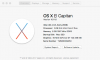
Following a major disaster where I managed to lose all my virtual machines, including the backups (yes, I know I should have been more careful), I've just done a clean install of Windows 10 into Parallels. All went well and I was pleased. I tried shutting down and re-starting Windows and Parallels and all was good. I'm running
Then Parallels popped up and told me an update was available. So I downloaded and installed it. Since then the Windows 10 virtual machine just opens up into an all white window with sometimes a couple of coloured blocks. On the way there are sometimes a few different coloured blocks appearing. At the moment I'm staring at a Windows 10 window that is entirely white. Nothing showing at all!
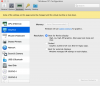
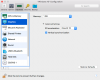
The Control Centre looks like this

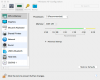
The CPU and Memory configuration looks like this
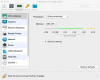
Graphics configuration looks like this
Anybody got any idea what I've done wrong?
Following a major disaster where I managed to lose all my virtual machines, including the backups (yes, I know I should have been more careful), I've just done a clean install of Windows 10 into Parallels. All went well and I was pleased. I tried shutting down and re-starting Windows and Parallels and all was good. I'm running
Then Parallels popped up and told me an update was available. So I downloaded and installed it. Since then the Windows 10 virtual machine just opens up into an all white window with sometimes a couple of coloured blocks. On the way there are sometimes a few different coloured blocks appearing. At the moment I'm staring at a Windows 10 window that is entirely white. Nothing showing at all!
The Control Centre looks like this
The CPU and Memory configuration looks like this
Graphics configuration looks like this
Anybody got any idea what I've done wrong?
Attachments
-
 upload_2017-10-10_0-23-40.png16.9 KB · Views: 3
 -
 upload_2017-10-10_0-24-22.png16.9 KB · Views: 3
 -
 upload_2017-10-10_0-24-42.png14.5 KB · Views: 3
 -
 Windows 10 Control Center.png14 KB · Views: 2
 -
 upload_2017-10-10_0-29-6.png14.5 KB · Views: 3
 -
 upload_2017-10-10_0-29-28.png13.6 KB · Views: 3
 -
 upload_2017-10-10_0-36-0.png78.3 KB · Views: 5