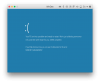
I'm sorry for inconvenience. It will be helpful if you provide me with problem report and memory dump:
1. Boot Windows in Safe mode as per
http://kb.parallels.com/en/118732 (in win8.1 and win10 steps should be the same)
2. Once booted open File Explorer > Right-click "This PC" > "Properties" > in left tab "Advanced system settings" > in the opened dialog switch to "Advanced" tab > in "Startup and Recovery" pane hit "Settings" button. Here in "System failure" pane:
- UNcheck "Automatically restart" option
- in Write debugging information pane from the dropdown list select "Kernel memory dump"
- set dump file to %SystemRoot%\MEMORY.DMP
- hit "OK" everywhere to close the windows
3. In File Explorer go to C:\Windows and look for MEMORY.DMP. If it's there - delete it.
4. Reboot VM in normal mode to reproduce the issue. Once blue screen appears, do not turn VM off, generate and send a problem report (
http://kb.parallels.com/en/9058 ). After the report is sent you will see its unique 8-digit number in the pop-up window on your screen. Specify this ID number here.
5. Now stop VM and open VM hdd with Parallels Mounter: Locate VM.pvm file (by default in ~/Documents/Parallels/ directory) > Right-click it > Show package contents > locate VM_name-0.hdd > right-click it > Open with Parallels Mounter
6. In Finder left bar VM hdd will appear. Navigate to C:\Windows and copy MEMORY.DMP on Mac Desktop
7. unmount VM hdd from Finder (right-click them > ejeect)
8. compress MEMORY.DMP (right-click > Compress)
9. open Terminal (Finder > Applications > Terminal) and execute the following command to upload dump to our share:
rsync ~/Desktop/MEMORY.DMP.zip rsync://fe.odin.com/37b2304ed83784522396d6fba663fa1a/
To monitor the progress, you can do the following:
- Open Activity monitor > switch to 'Network' tab, locate 'rsync' process. 'Sent Bytes' means the part of the archive that has been already uploaded. Once uploaded 'rsync' will disappear from Activity Monitor
- while uploading is in progress the Terminal keyboard carriage will be near the left Terminal window cross. After the operation is done the latest Terminal string will contain 'computer name'+'location'+'user name'+keyboard carriage.
10. Let me know when it's finished. Please don't forget to specify report ID