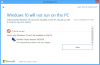
Hi please try the following stepsL
1. Click start -> and type in Search box "devmgmt.msc" -> and hit Enter
2. Then in the Display adapter tab right click on the "Parallels Display Adapter" -> and choose "Update driver..."
@DamonV, please try to right click on this driver (in device manager) -> and then choose uninstall -> then restart you VM
Also if the issue still persists please check the following:
1. Open Device Manager
2. right click on Parallels Display Adapter and choose properties -> and check the device status.
Please let me know the results.