Has this worked for everyone consistently so far? It's too bad you can't use coherence mode though.
This is wonderful, now I can finally use my old new MacBook Pro for work and sell the old 2016 pro.
Brand new M2 MacBook Pro, fresh install of macOS Ventura, fresh install of Parallels Desktop, fresh install of Windows 11 Pro for ARM and this resolved the black screen for me.
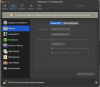
Hello, having the same issue (the black screen that never stops the circle of death and despair...) I tried following the steps above but am stopped here (screenshot below)
I have Parallels Desktop 17 with Win11ARM VM installed on MacBook Pro M1 Pro with macOS Monterey v12.5.1. Everything was working fine until today all of a sudden when I launch Windows vm it boots up with a blank black screen.
I have tried everything listed here in this blog:
- Win11 VM Configuration: Options>Applications>uncheck Share Windows applications with Mac.
- https://kb.parallels.com/123094 (How can I pass through Windows Safe Mode command from Mac?)
I haven't tried Uninstalling Parallels and reinstalling it, since I want the same version working before I could update to macOS Ventura and buying Parallels Desktop 18.