
Install the app
How to install the app on iOS
Follow along with the video below to see how to install our site as a web app on your home screen.
Note: This feature may not be available in some browsers.
You are using an out of date browser. It may not display this or other websites correctly.
You should upgrade or use an alternative browser.
You should upgrade or use an alternative browser.
Windows 11 support check failing on latest Parallels 17.0.1
- Thread starter Lee4
- Start date
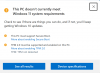
Update: I went here:
https://www.microsoft.com/en-us/sof...d=_nkdyzy61t9kf6xmlzg20m1oqru2xrcsnmz0acmz900
And selected download Windows 11 update assistant and it said the installation passed and started the download.
https://www.microsoft.com/en-us/sof...d=_nkdyzy61t9kf6xmlzg20m1oqru2xrcsnmz0acmz900
And selected download Windows 11 update assistant and it said the installation passed and started the download.



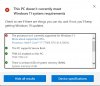
I found the Parallels KB article about installing TPM and manually installed with no problem. However, like others, Windows 11 does not support my intel i7-7700k CPU at 4.20GHZ. That was the only thing that it failed my iMac for. Everything else was passed. Any solution from Parallels?
Attachments

Maria@Parallels
Problem solver
Hello guys, could you collect the technical data once the issue reproduced and post the report's ID here please?
This isn't a Parallels problem. This is a Microsoft problem.
https://docs.microsoft.com/en-us/wi...pported/windows-11-supported-intel-processors
The first Intel Core i7-7xxx is 7800X. No processor over 4 years old is on the list. They are trying to sell new PCs.
https://docs.microsoft.com/en-us/wi...pported/windows-11-supported-intel-processors
The first Intel Core i7-7xxx is 7800X. No processor over 4 years old is on the list. They are trying to sell new PCs.
Do we need to attempt to reinstall windows 11 again or will the existing logs suffice?Hello guys, could you collect the technical data once the issue reproduced and post the report's ID here please?
If it helps, I saw something on the MS Win11 forum where there might be a disconnect between the Microsoft web site how the PC Health app as well as the install/upgrade procedures determine if the processor fit for Win11 installation. This includes processors listed on the site and people still failing the PC Health app, etc.
So, I still think this is Microsoft engineers shooting the execs in the foot. You know who will win that battle. I can see where eventually Microsoft will have to eliminate this silly processor requirement because it causes way more problems for them than having to deal with actual problems with subpar processors in the long term.
Bottom line: It was really a stupid idea that couldn't ever be executed properly in the first place and I see people getting sacked for it.
So, I still think this is Microsoft engineers shooting the execs in the foot. You know who will win that battle. I can see where eventually Microsoft will have to eliminate this silly processor requirement because it causes way more problems for them than having to deal with actual problems with subpar processors in the long term.
Bottom line: It was really a stupid idea that couldn't ever be executed properly in the first place and I see people getting sacked for it.
380562371Hello guys, could you collect the technical data once the issue reproduced and post the report's ID here please?

Mikhail Ushakov
Problem solver
Hello!
Thank you a lot for reporting it.
We're investigating the issue with our Engineering Team.
The error message in question shouldn't prevent you from upgrading to Windows 11. So, we advise you to add a TPM chip and proceed with the upgrade.
However, please be advised that according to Microsoft, the "upgrade rollout plan is being finalized and is scheduled to begin late in 2021 and continue into 2022. Specific timing will vary by device". So, if the update isn't presented upon clicking Windows Update Settings > Check for updates you can just create a new Windows 11 virtual machine as described in KB 125375.
Thank you a lot for reporting it.
We're investigating the issue with our Engineering Team.
The error message in question shouldn't prevent you from upgrading to Windows 11. So, we advise you to add a TPM chip and proceed with the upgrade.
However, please be advised that according to Microsoft, the "upgrade rollout plan is being finalized and is scheduled to begin late in 2021 and continue into 2022. Specific timing will vary by device". So, if the update isn't presented upon clicking Windows Update Settings > Check for updates you can just create a new Windows 11 virtual machine as described in KB 125375.
Glad to report that I'm up and running.
Here's what I did (basically I followed directions):
1- download and run the media creation tool: https://www.microsoft.com/en-us/software-download/windows11
2- select option to Create installation media for another PC;
3- select option to Save an ISO file to your PC
4- once ISO downloaded, just drag it to an ntfs formatted flash drive
I used nirsoft ProduKey to get the windows 10 product key from my Parallels win10 VM
5- Because I have an intel processor, I followed these instructions: https://kb.parallels.com/en/128449
6- don't skip the customize settings step to install TPM
7- it didn't take very long (<30 hour)
8- I still need to reinstall my windows programs in the new VM, but at least Win 11 is working in Parallels now. My documents and files are stored in one drive so I can delete the win 10 VM once I've run the new VM for a couple of days.
For what it's worth, here's what I did yesterday and earlier today, both of which generated the unsupported processor error even though my processor is on the list:
I used the option to "Download Windows 11 Disk Image (ISO)". Note, this IOS image was larger than the ISO downloaded using the media creation tool.
I Used Rufus to create a book disk and installer.
Plugged the flash drive in my Mac, mounted it in parallels, Ran setup.exe from within the win10 VM.
When that failed, I tried to create a new win11 VM using the direct download ISO image (vs the media creation version), which also failed due to the processor message.
Note that "check for updates" in win10 only showed a message to get ready for windows 11 or similar, it never showed an available update to win10.
YMMV, good luck, Mark
Here's what I did (basically I followed directions):
1- download and run the media creation tool: https://www.microsoft.com/en-us/software-download/windows11
2- select option to Create installation media for another PC;
3- select option to Save an ISO file to your PC
4- once ISO downloaded, just drag it to an ntfs formatted flash drive
I used nirsoft ProduKey to get the windows 10 product key from my Parallels win10 VM
5- Because I have an intel processor, I followed these instructions: https://kb.parallels.com/en/128449
6- don't skip the customize settings step to install TPM
7- it didn't take very long (<30 hour)
8- I still need to reinstall my windows programs in the new VM, but at least Win 11 is working in Parallels now. My documents and files are stored in one drive so I can delete the win 10 VM once I've run the new VM for a couple of days.
For what it's worth, here's what I did yesterday and earlier today, both of which generated the unsupported processor error even though my processor is on the list:
I used the option to "Download Windows 11 Disk Image (ISO)". Note, this IOS image was larger than the ISO downloaded using the media creation tool.
I Used Rufus to create a book disk and installer.
Plugged the flash drive in my Mac, mounted it in parallels, Ran setup.exe from within the win10 VM.
When that failed, I tried to create a new win11 VM using the direct download ISO image (vs the media creation version), which also failed due to the processor message.
Note that "check for updates" in win10 only showed a message to get ready for windows 11 or similar, it never showed an available update to win10.
YMMV, good luck, Mark