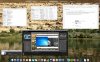
So I just upgraded to 11 and all is well except for an annoying behavior that only started occurring after the upgrade. If I am working within Windows 7 in full screen and then step away long enough for my MAC screen lock to activate, when I unlock OS X, my Windows 7 guest is no longer in full screen. I have to click a button to go back to full screen, and then a second annoying thing happens: My extended displays (2 monitors) no longer automatically trigger in my Windows 7 guest. I have to tap F3 and then drag both of my Parallels Desktop desktops over to the corresponding monitor, and click them to focus. It doesn't remember that I assigned the desktops to secondary and tertiary monitors.
Prior to the upgrade, it behaved perfectly. I could be in Windows 7 at full screen on MAC display, with my extended displays active on my other monitors, step away, come back, unlock OS X, Windows 7 session restored exactly as I left it. Any ideas what could be happening?
Prior to the upgrade, it behaved perfectly. I could be in Windows 7 at full screen on MAC display, with my extended displays active on my other monitors, step away, come back, unlock OS X, Windows 7 session restored exactly as I left it. Any ideas what could be happening?