Windows 7 Graphic Performance

KarlkimS

Bit poster
Hi all,

I have been using Parallels since version 3 with Windows XP, and I have had a very positive experience.

I upgrade to Parallels version 4 and has Windows 7 Pro. However, the graphic performance on Windows 7 VM is detrimental. The Windows Experience Index is only 1.0 (it is worse than my old model netbook).

I am fine without Aero interface, but when I use Expression Blend 3 which seems to require better graphic performance, it is almost unusable.

Is there anyway to improve the graphic performance on the VM? I have increased the memory to 256MB, but it doesn't help.

Thanks!
Karlkim
 
The same for me...:-(
Please, give us an advice to rise the Windows Experience Index up from 1,0! The "video" section is 1,9, the 3d section is 1,0.
I have a 2,8 GHz iMac with ATI 2600XT. And 2Gb RAM for the vm.
Thanks, Gyorgy
 
Same problem too. I've got a MBP 2.3ghz i7 4gb ram SSD with 2.304gb ram dedicated to VMware and 256mb graphics with windows 7 and it can bearly handle solitare.. windows indext rating of 1.0 for graphics..
any help ?
 
Same problem here, using v 6.0.something

MacBook Pro 2.26GHz Core2Duo, 4GB RAM, 9400M 256MB

2GB RAM assigned to Win7Pro with 256MB & 3D Accel turned on.
 
Same problem, have tried tofind the solution in Google but no success. Look like Parallels 6 doesn't have Video Hardware Acceleration on Mac OS X :(
Glad that figured it during trial and didn't buy it.


Model Name: MacBook Pro
Processor Name: Intel Core i5
Processor Speed: 2,4 GHz
Memory: 8 GB
 
Hi Guys,

Try re-installing Parallels Tools. I'm not sure why you are getting low scores. I always maximize the allocated RAM for the graphics in Parallels, and I am getting 5.9/5.2 score for graphics. I am running Parallels 6.0 build 11994, in Windows 7 Professional 64-bit, in a Mac Pro 1,1 with 5GB of RAM physical, 3072MB RAM allocated. The speed of the processor is 2x3.0GHz.

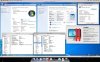
Update: I just took a picture of the machine with a bunch of properties. Hopefully this will help confirm with someone that it is possible. Also, I couldn't bring up the VM configuration but I have "Enable 3D Acceleration" checked.

I also have different machine configurations so if you want, I could get the scores for the nVidia 8800GT, the ATi Radeon HD 2600(XT?) and nVidia 7300GT.
 

Attachments

  • Picture 1.jpg
    Picture 1.jpg
    232.3 KB · Views: 40
Last edited:
Hi distronic!

Thank you that you show the directions of resolving this issue! It was my fault. I didn't install "Parallels Tools" before.

Now I have installed Parallels Tools and 3D support has become :)

Thank you dude!

UPD

Hey Parallels guys! do not edit my posts about your horrible support just start to provide better support for your customers!
 
Last edited:
Does anyone know how to take full advantage of my graphics card? I'm not the best with computers so it might seem like I don't know what I'm talking about or I might just not fully understand.

I have an AMD Radeon HD 6970M with 2048MB of VRAM (Total). I'm running a VM of windows 7 and it is only using 511MB (Or 256 MB dedicated video memory and 255 MB shared system memory like in the picture attached to distronic's post.)

My question is: How do I get windows 7 to use all 2048MB of my VRAM?
Alternate question if it can't be done: Is support for this ever going to be added?

This would be greatly appreciated as this is a question coming from a gamer and I happen to know that Crysis would love the 2048 as opposed to the 511.

Thanks for any answers!
 
Back
Top