
MichaelB11
Bit poster
After installing EL CAPITAN (OS X 10.11.1) everything seems to run perfect except I can't start any programs in my Application Folder in the Dock. Windows, Parallel Desktops and OS X are updated as today. It was working perfect under YOSEMITE!
In general PD 10, Windows 8.1 and all programs working probably while launching direct in Windows
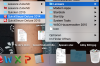
I will be able to delete and create the Folder at any time but no changes. The Applications are there but no start of any program. It looks like there is a link missing between OS X and Parallel Desktops.
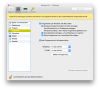
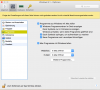
I also trieb all different screen and mode settings (full screen, coherence and modality) with no success. I do not think about upgrading to PD 11 yet (This can not be the solution)!
System:
OS X 10.11.1 (EL CAPITAN)
Parallele Desktop 10.3.0
Windows 8.1 (updates up to date)
Any suggestion?
Thanks
Michael
In general PD 10, Windows 8.1 and all programs working probably while launching direct in Windows
I will be able to delete and create the Folder at any time but no changes. The Applications are there but no start of any program. It looks like there is a link missing between OS X and Parallel Desktops.
I also trieb all different screen and mode settings (full screen, coherence and modality) with no success. I do not think about upgrading to PD 11 yet (This can not be the solution)!
System:
OS X 10.11.1 (EL CAPITAN)
Parallele Desktop 10.3.0
Windows 8.1 (updates up to date)
Any suggestion?
Thanks
Michael
Attachments
-
 Bildschirmfoto 2015-11-01 um 11.53.05.png366.3 KB · Views: 1
 -
 Bildschirmfoto 2015-11-01 um 11.53.47.png261.4 KB · Views: 0
 -
 Bildschirmfoto 2015-11-01 um 11.54.55.png85.1 KB · Views: 0
 -
 Bildschirmfoto 2015-11-01 um 11.56.46.png768.2 KB · Views: 1
 -
 Bildschirmfoto 2015-11-01 um 11.58.10.png477 KB · Views: 0
Last edited:
