
So I deleted the main windows.pvm file however it no longer lets me stop the program due to an error. I received a message: "No virtual machine configuration file could be found in the location" I was wondering if I could get this one removed from my control center panel and keep the other one intact as it is really annoying and I can use Migration Assistant on Mac because Desktop won't close the app due the error message. Location of the former when I deleted the trash how do I remove it from the control center interface:
Users/myname/.Trash/Windows 11.pvm/config.pvs".
Also states this:
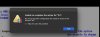
Unable to complete the action for "%1". - No virtual machine configuration file could be found in the location "%2".
Users/myname/.Trash/Windows 11.pvm/config.pvs".
Also states this:
Unable to complete the action for "%1". - No virtual machine configuration file could be found in the location "%2".