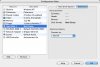
System Spec:
MacBook Pro 2.16Ghz CoreDuo
Parallels build 3214
Windows XP Pro on Bootcamp
Plotter: Craftmate 330, Windows-only drivers
Hi guys,
I've picked up a plotter that is full USB but only has windows drivers. Parallels isn't detecting the USB at all, and as it has no OSX drivers, i can't set it as a network device.
I can't load up my Bootcamp natively because of the old "Hal.dll not found" trick that i don't seem to be able to fix.
I've tried different USB ports, different cables (inc ones i know work with my HP Printer) and nothing seems to work.
I've installed the driver manually, but as Parallels doesn't see the hardware, it doesn't seem to make much difference.
Anyone got any ideas?
Cheers
MacBook Pro 2.16Ghz CoreDuo
Parallels build 3214
Windows XP Pro on Bootcamp
Plotter: Craftmate 330, Windows-only drivers
Hi guys,
I've picked up a plotter that is full USB but only has windows drivers. Parallels isn't detecting the USB at all, and as it has no OSX drivers, i can't set it as a network device.
I can't load up my Bootcamp natively because of the old "Hal.dll not found" trick that i don't seem to be able to fix.
I've tried different USB ports, different cables (inc ones i know work with my HP Printer) and nothing seems to work.
I've installed the driver manually, but as Parallels doesn't see the hardware, it doesn't seem to make much difference.
Anyone got any ideas?
Cheers