Windows Retina Help

IgnacioR

Bit poster
Hello everyone:

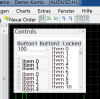
So I upgraded Parallels so it is compatible with my Retina Display. Unfortunately that has also made every Windows app not designed for it to look really odd, besides absolutely tiny. If I change the Windows' resolution it just makes the Parallels window smaller within the Retina Display (as expected).

is there any way to correct this? I find it really hard to use some of this software at the current size and state.

Any ideas? Tips?

Thanks!
 
Set VM Configuration > Hardware > Video > Resolution to Scaled, this will disable high resolution in Windows.
 
Thanks, that did the trick. Now, with this information, is there any way of "saving" my screen state? It seems every time I restart my VM it comes up with a different (and rather disgusting) resolution.

Thanks again.
 
I don't get it. How the resolution (which is normally measured in pixels) can be disgusting? What are trying achieve exactly?
 
Can retina display be turned off for particular apps? Most applications look good, but one fails miserably. Can I launch this app somehow without upscaling it? Thanks
 
It's hard to guess how exactly your app fails. Anyway, Parallels doesn't control per application DPI settings, Windows does. You can disable DPI virtualization with this option:
Right-click on app icon > Properties > Compatibility > Disable scaling on high DPI settings.
 
I have the same problem.
Windows desktop very good retina resolution.
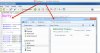
But Windows programs such as Notepad++ [/ B] the font is blurred.

Disable scaling on high DPI settings: Is the font too large for many programs.

attachment.php


This work is no fun.
With Wine 1.4 the Windows font is clean and clear. Why does it work where?
 

Attachments

  • 2012-12-18_20-14-41.png
    2012-12-18_20-14-41.png
    50.2 KB · Views: 23
Last edited:
I've tried Parallels's suggestion but it doesn't work.

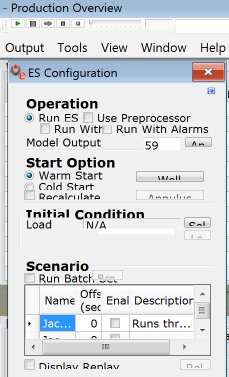
My issue is the same as Andreas's... but worse. See the attached image. Not only is the text not fitting, but the controls above the menu bar are tiny. Any chance there's a Parallel's can accommodate this, or will the software in the image have to be redesigned?

Screen+Shot+2012-12-20+at+9.23.21+AM.png
 
Back
Top