Windows Taskbar Obscured Under Mac Menu Bar

Logan2

Bit poster
Running macOS 10.15.3 and Windows 10-1909 on Parallels 15.1.4 (47270).

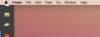
In Coherence, I prefer the taskbar on the left side of my screen, but it stretches up underneath the macOS menu bar, obscuring the start menu. Any fix?

screen-shot-2020-05-05-at-10-34-37-am-png.16039
 

Attachments

  • Screen Shot 2020-05-05 at 10.34.37 AM.png
    Screen Shot 2020-05-05 at 10.34.37 AM.png
    128.5 KB · Views: 18
The old Windows 7 task bar tweaker app has now been updated, and now works with Windows 10. The option 'reserve empty space on taskbar', allows you to put gaps between things on the taskbar. You can put a gap at the top of the taskbar, so the start button is a bit down from the top.
It should allow you to avoid the problem....
 
The old Windows 7 task bar tweaker app has now been updated, and now works with Windows 10. The option 'reserve empty space on taskbar', allows you to put gaps between things on the taskbar. You can put a gap at the top of the taskbar, so the start button is a bit down from the top.
It should allow you to avoid the problem....
I will give that a try, thanks!
 
Back
Top