Windows XP can't open on Parallels Desktop Mac 11.0.2 (31348)

RazB

Bit poster
Hello All,
I used to run a Windows XP VM on my Parallels Desktop Mac since version 7. But since version 10 and OS X Mavericks it can not open anymore, just showing black screen. I have now migrated to version 11 and OS El Capitan but result is the same.
I even do the suggested solution Actions > Reset but nothing happened.
Can someone please help me to figure it out.

Thanks,
 
Hi Raj,
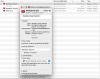
Action -> Stop did nothing, the issue still persists.
So here is the .pvm file size: 102.07GB
 

Attachments

  • Screenshot at mai 21 02-51-30.png
    Screenshot at mai 21 02-51-30.png
    201.4 KB · Views: 1
Dear Raj,
I was already in version 11.2.0, a day after i submit my post. This not change anything.
 
Hi Raj,
I finally manage to solve my problem with a very simple and definition being of a virtual machine. I just created a new VM and and chose the older's VHD as working VHD. And so i'm now able to launch again my WindowsXP and recover access to all my data.
Now i have a question, can i delete the other VM? And if yes how to move the VHD to keep continue to have the new VM working fine?

Thanks
 
Hi RazB,
Glad to see it is working!. You can remove the old Virtual Machine from the Parallels Desktop control center. However, the old Virtual Machine files cannot be deleted completely from the Mac as the Virtual Hard disk is mapped.

To remove the old Virtual Machine from the control center, stop the Virtual Machine if it is running. Right click on the old Virtual Machine in the control center, click remove and choose "Keep Files". Please refer to this article for more information.
 
Back
Top