Hi.
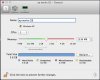
I recently downloaded trial version Parallels Desktop (8.0.18). I wanted to try before buying. I ran into one problem - I made disk for Windows XP in Paralles - size of 128G. After installation of windows and few programs (around 10G) it says that there is not space left on disk - but it is impossible there should be still more than 100G. And there is just two options - to Repeat or Stop (after this I am not able to run Windows again because of low space on harddisk).
It says to try to free some space, but because of this error message, I cant even access my windows.
Do you know how to get rid of this message?
PS: On my disk where is paralles installed is still around 500G free...
Thank you
I recently downloaded trial version Parallels Desktop (8.0.18). I wanted to try before buying. I ran into one problem - I made disk for Windows XP in Paralles - size of 128G. After installation of windows and few programs (around 10G) it says that there is not space left on disk - but it is impossible there should be still more than 100G. And there is just two options - to Repeat or Stop (after this I am not able to run Windows again because of low space on harddisk).
It says to try to free some space, but because of this error message, I cant even access my windows.
Do you know how to get rid of this message?
PS: On my disk where is paralles installed is still around 500G free...
Thank you