Windows XP vm

danny11

Bit poster
I did something really dumb.
I've been running both Windows XP & Windows 10 on Parallels Desktop for Mac.
Recently I needed to make some space on the hard drive so I moved Windows XP onto a flash drive...now after moving it back to my Mac it will no longer start up. (Windows 10 is still starting up without issue)
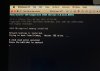
IMG_8598.jpg
I attempted to fix this by following the steps in https://kb.parallels.com/112869 and https://kb.parallels.com/5138 but so far nothing I do is making it work.the issue. No idea what I'm doing wrong.
I also thought I could fix by creating a new Windows XP vm. That did work however I can't get the the program files I need to open with anything other than the first vm
 
I did something really dumb.
I've been running both Windows XP & Windows 10 on Parallels Desktop for Mac.
Recently I needed to make some space on the hard drive so I moved Windows XP onto a flash drive...now after moving it back to my Mac it will no longer start up. (Windows 10 is still starting up without issue)
View attachment 21547
I attempted to fix this by following the steps in https://kb.parallels.com/112869 and https://kb.parallels.com/5138 but so far nothing I do is making it work.the issue. No idea what I'm doing wrong.
I also thought I could fix by creating a new Windows XP vm. That did work however I can't get the the program files I need to open with anything other than the first vm
Hello,
For us to further investigate this issue, while running the affected virtual machine and collect a technical report (right-click Parallels icon in Dock > Help > Send technical data > check "Attach screenshots..." > press Send Report) and provide us with the report's 9-digit ID in reply to this post.
Thank you.
 
Trying to send the technical report however I am getting the following error message:
Unable to send the problem report
Please check your network settings and try again
No issue connecting to internet outside of Parallels
 
Hello,
For us to further investigate this issue, while running the affected virtual machine and collect a technical report (right-click Parallels icon in Dock > Help > Send technical data > check "Attach screenshots..." > press Send Report) and provide us with the report's 9-digit ID in reply to this post.
Thank you.

Trying to send the technical report however I am getting the following error message:
Unable to send the problem report
Please check your network settings and try again
No issue connecting to internet outside of Parallels
 
@Pramesh Boodadoo. I need a response please, the technical report will not go through.
When Parallels is not running, my computer connects to the internet and there no network issues.
With Parallels running, no internet and I get this error message when I try to send technical report:
Unable to send the problem report
Please check you network settings and try again​
 
@Pramesh Boodadoo. I need a response please, the technical report will not go through.
When Parallels is not running, my computer connects to the internet and there no network issues.
With Parallels running, no internet and I get this error message when I try to send technical report:
Unable to send the problem report
Please check you network settings and try again​
Hello @danny11 ,
Apologies for late response.
Please note that we have created a support case to assist you. You will shortly receive an email with further instructions.
Thank you.
 
Back
Top