WinXP suddenly won't start

Sandy

Member
Just yesterday I was using Parallels with WinXP, and everything was fine. Today I noticed that the icon for my network drive, which always shows in the Mac Finder when I'm using Parallels, didn't show up. However, I went ahead and was able to work until it was time to print. Then I suddenly didn't have any printers installed! Very strange.

I thought a restart of Windows would probably straighten things out, but now Windows won't even start. I get a startup screen which then morfs to a blue screen so quickly that I can't read what's printed on it, and then a black screen saying that Windows can't start. At some point I got a black screen with options on how to start up (last-known good version -- or similar wording -- or a couple of others), but none of those are successful, either.

Can anyone tell me what to do next? I do have a SuperDuper! backup I did of my Mac on Wednesday, as well as some Time Machine backups, but I can't figure out what I need to restore. I'm using Parallels 3, build 5608, on my MacBook with OS X 10.5.3. I haven't installed anything new since yesterday, so I'm stumped.

Thanks!
 
Unfortunately, I can't get a screen shot, as the blue screen flashes so quickly back to a black one. :( I don't even have time to read what it says exactly.
 
No, I never set up Boot Camp; I installed Parallels and Windows XP only, and they've been running trouble-free until yesterday. And, wouldn't you just know it?, I have to leave town in an hour, so I will have to postpone troubleshooting this further until I return next week.
 
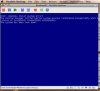
Okay, I was finally able to get a screen shot of the blue screen I see periodically. I hope I've successfully attached it.
 

Attachments

  • Picture 1.jpg
    Picture 1.jpg
    10.3 KB · Views: 8
John, I appreciate the link, which I saw this morning after returning from being away. I have one question, however: my blue screen doesn't specify which driver is missing or damaged, so how do I know which one to type in as I go through the recovery process you pointed me to? Is that even possible? Will I need to completely reinstall Windows XP and my applications in Parallels?

As I mentioned when I first wrote in, I do have a viable backup (via SuperDuper) of Parallels, but I don't know which files to restore to get back to a working copy of Windows on my main drive. Could restoring some files (if I knew which ones they were <g>) solve the problem?

Thanks again!
 
Thanks for the link, John. I followed the directions in that article, but my installation just goes into the same cycle as before: Windows splash screen, followed by the blue screen, followed by a black screen with a message [Parallels (R) VGA-Compatible BIOS Version 2.01 Parallels (R) 3.0 build 5608 (C) 2005-2008 Parallels Software International Inc. All Rights Reserved 640 KB Base Memory 524288 KB Extended Memory], and then the whole thing again.

I know I have a backup that works, but I'd rather not restore my entire Mac, since I"ll lose more recent things that aren't part of Windows/Parallels. Can you tell me which files I do need to restore to get this working again? Thanks!
 
No, I saw that somewhere, so I knew about the Service Pack thing. I'd installed it originally with SP2, and I never updated to SP3, so that should have been fine. Is there any list of files I need to restore to get back to a working copy from my backup?

Thanks!
 
Okay, I did try to start up in Safe Mode, but it wouldn't. I guess I'll just have to reinstall Windows and all of my applications and things. :S
 
I decided to create a new virtual machine, and the attached image will show you what happened after inserted the CD with WinXP on it. I'm really puzzled; why would this CD suddenly be unusable???

I'm tearing my hair out here! Can anyone help me? Thanks!
 
Oops -- here's the picture I mentioned. It didn't upload the first time.
 

Attachments

  • Picture 3.jpg
    Picture 3.jpg
    13.9 KB · Views: 4
May be you can try to create ISO image
1. Insert CD/DVD source

2. Fire up a Terminal, you can then determine the device that is you CD/DVD drive using the following command:

$ drutil status
Vendor Product Rev
MATSHITA DVD-R UJ-835E GAND

Type: DVD-ROM Name: /dev/disk1
Cur Write: 8x DVD Sessions: 1
Max Write: 8x DVD Tracks: 1
Overwritable: 00:00:00 blocks: 0 / 0.00MB / 0.00MiB
Space Free: 00:00:00 blocks: 0 / 0.00MB / 0.00MiB
Space Used: 364:08:27 blocks: 1638627 / 3.36GB / 3.13GiB
Writability:
Book Type: DVD-ROM

3. Umount the disk with the following command:

$ diskutil unmountDisk /dev/disk1
Disk /dev/disk1 unmounted

4. Create the ISO file with the dd utility (may take some time):

$ dd if=/dev/disk1 of=file.iso bs=2048
 
Thanks, John, but I gave in and did a restore from my backup. <G> I'm going to go back now and restore some of the more recent files I had from Time Machine, so all should be fine very soon now.

Thanks very much for your help!
 
Back
Top