silverstar317
Bit poster
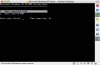
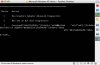
I have installed parallels and I have an installation disk for Windows XP Home Edition. I have put in the product key and it seems to have installed, etc. When it is starting up after the screen the first screen included, the second screen comes up when I choose option 2- boot from CD-ROM. If i boot from harddrive, then a black screen appears with a horizontal grey line on the right side. I do not know what to do. I have tried typing in everything I can think of to move on to the next step, but nothing I seem to do works. Please help!