
I successfully imported a physical XP SP3 machine into Parallels 6 on a brand-new Mac yesterday. I used the latest version of Parallels Transporter to do the import, over my home Ethernet network. So far everything seems to be working except that the XP virtual drives are not mounting, and are not even manually mountable, in MacOS.
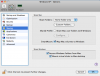
See attached screen shot for confirmation that the VM is configured appropriately.
The physical XP machine had 2 physical hard disks, which were both successfully replicated in my VM.
When I manually use Parallels Mounter to open the virtual disks from within Finder (while the XP VM is running), Parallels Mounter responds with:
"Unable to get write access to the virtual hard disk. Do you want to open it in the read-only mode?"
When I click "OK" I get the 2nd error message:
"Parallels Mounter is unable to open the virtual hard disk.
Either the hard disk has no volumes or its file system is not supported or contains errors. ..."
When I try the same thing but while the XP VM is suspended (and I choose "Open to View"), or while it is paused, or while it is off (shut down completely) I get the same error message as the 2nd one quoted above.
Within the XP VM I ran CHKDSK on both XP disks (with rebooting the VM), which found no errors on either virtual disk, and I still get the same errors from Parallels Mounter.
The XP disks are NTFS and otherwise meet all these requirements:
http://download.parallels.com/desktop/v4/docs/en/Parallels_Explorer_Users_Guide/23619.htm
See attached screen shot for confirmation that the VM is configured appropriately.
The physical XP machine had 2 physical hard disks, which were both successfully replicated in my VM.
When I manually use Parallels Mounter to open the virtual disks from within Finder (while the XP VM is running), Parallels Mounter responds with:
"Unable to get write access to the virtual hard disk. Do you want to open it in the read-only mode?"
When I click "OK" I get the 2nd error message:
"Parallels Mounter is unable to open the virtual hard disk.
Either the hard disk has no volumes or its file system is not supported or contains errors. ..."
When I try the same thing but while the XP VM is suspended (and I choose "Open to View"), or while it is paused, or while it is off (shut down completely) I get the same error message as the 2nd one quoted above.
Within the XP VM I ran CHKDSK on both XP disks (with rebooting the VM), which found no errors on either virtual disk, and I still get the same errors from Parallels Mounter.
The XP disks are NTFS and otherwise meet all these requirements:
http://download.parallels.com/desktop/v4/docs/en/Parallels_Explorer_Users_Guide/23619.htm
Attachments
Last edited: