Hi,
I installed PES 2021 on Parallel 14.1.3 on my Mac Pro Catalina 32 Gb memory, Graphics Intel Irus Plus Graphic 1536 MB, 2.3 GHz Quad-Core Intel i7.
It shows this warning "Your computer does not meet the minimum specifications necessry to run this software .... The video card does not have the necessary specifications. (GPU:Shader 5.0)"
I googled and see 3 solutions where I have tried only one available solution for me:
1) Created a key for memory under registry to force the memory to be registered with high number => not working.
2) Go to graphic card setting to add the game for specific card setting for NVIDIA
this is not available for me
3) Go to graphics setting in Windows 10 to add the game for specific card setting :
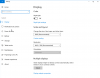
I cannot find Graphics setting in my Windows 10, normally you can find it under Settings\Display and under Multiple display. But here there is not that option.
So how could I fix this problem please ?
Thank you very much for your help !
I installed PES 2021 on Parallel 14.1.3 on my Mac Pro Catalina 32 Gb memory, Graphics Intel Irus Plus Graphic 1536 MB, 2.3 GHz Quad-Core Intel i7.
It shows this warning "Your computer does not meet the minimum specifications necessry to run this software .... The video card does not have the necessary specifications. (GPU:Shader 5.0)"
I googled and see 3 solutions where I have tried only one available solution for me:
1) Created a key for memory under registry to force the memory to be registered with high number => not working.
2) Go to graphic card setting to add the game for specific card setting for NVIDIA
3) Go to graphics setting in Windows 10 to add the game for specific card setting :
So how could I fix this problem please ?
Thank you very much for your help !