Access Mac OS10.6 Virtual Hosts Using Parallels 5.0

rgcarr

Bit poster
I've just upgraded to Parallels 5 and the Parallels network adapters have now disappeared from my [Snow Leopard] > System Preferences > Network.

Can't even find localhost now, let alone my virtual hosts... Any idea now how to point Windows (Vista) to the local virtual hosts on my Mac?
 
I've just upgraded to Parallels 5 and the Parallels network adapters have now disappeared from my [Snow Leopard] > System Preferences > Network.

Can't even find localhost now, let alone my virtual hosts... Any idea now how to point Windows (Vista) to the local virtual hosts on my Mac?

In the Parallels Desktop 5.0 Parallels Network Adapters are not shown anymore in the SystemPreferences/Network by default. To make it show, open Parallels Desktop Preferences -> Networking and enable checkbox "Show in the System Preferences" for both HostOnly and Shared.

What about the IP-address of the MacHost - it should be the same as it was in previous versions, 10.211.55.2 for SharedNetworking.

tip: it is possible to start the /Application/Utilities/Terminal and execute command "ifconfig -a" - it will display all network interfaces and their addresses
 
This solution broken on upgrade to version 6

Okay, so I upgraded to 6. Additionally, the methods of controlling/tweaking these settings appear to have changed.
 
I am also in the dark after upgrading to 6.0; I can no longer connect to my virtual servers on my mac from within Parallels 6.0.

I AM able to connect to the internet just fine, however. But I cannot find where the new settings have wandered off to in 6.0 to connect to my virtual hosts, such as: what IP to put in the window hosts file, among other things.
 
Use ipconfig command line to get your Windows IP address.

Network preferences for Shared and Host Networking are at Parallels Desktop -> Preferences -> Advanced -> Network: Changes Settings.
 
Use ipconfig command line to get your Windows IP address.

Network preferences for Shared and Host Networking are at Parallels Desktop -> Preferences -> Advanced -> Network: Changes Settings.

Thanks, but that doesn't help. The missing piece of information is the address of the Mac from the PC's point of view -- so I can edit my hosts file -- and that's the bit that is nowhere to be found. I did ifconfig in the Mac terminal, but the only IP in there is the one for the network the Mac is on; no sign of an address on the same subnet as the virtual machine.

Can anyone help? Perhaps a member of the Parallels team could chime in? As time goes on this is becoming more important as the queue of work for which I need this feature grows ever longer.

TIA
 
If you're using shared networking, then you can use your Mac's name from Windows:

Code:
C:\Documents and Settings\joevt>ipconfig

Windows IP Configuration


Ethernet adapter Local Area Connection 7:

        Connection-specific DNS Suffix  . : localdomain
        IP Address. . . . . . . . . . . . : 10.211.55.6
        Subnet Mask . . . . . . . . . . . : 255.255.255.0
        Default Gateway . . . . . . . . . : 10.211.55.1

C:\Documents and Settings\joevt>ping joemacpro.local

Pinging joemacpro.local [10.211.55.2] with 32 bytes of data:

Reply from 10.211.55.2: bytes=32 time<1ms TTL=64

Ping statistics for 10.211.55.2:
    Packets: Sent = 4, Received = 4, Lost = 0 (0% loss),
Approximate round trip times in milli-seconds:
    Minimum = 0ms, Maximum = 0ms, Average = 0ms

C:\Documents and Settings\joevt>


In Mac OS X, the Parallels shared networking interface is vnic0:

Code:
JoeMacPro:parallels joevt$ ifconfig
lo0: flags=8049<UP,LOOPBACK,RUNNING,MULTICAST> mtu 16384
	inet6 ::1 prefixlen 128 
	inet6 fe80::1%lo0 prefixlen 64 scopeid 0x1 
	inet 127.0.0.1 netmask 0xff000000 
gif0: flags=8010<POINTOPOINT,MULTICAST> mtu 1280
stf0: flags=0<> mtu 1280
en0: flags=8863<UP,BROADCAST,SMART,RUNNING,SIMPLEX,MULTICAST> mtu 1500
	ether 00:1f:5b:39:c8:bc 
	inet6 fe80::21f:5bff:fe39:c8bc%en0 prefixlen 64 scopeid 0x4 
	inet 192.168.0.171 netmask 0xffffff00 broadcast 192.168.0.255
	media: autoselect (1000baseT <full-duplex,flow-control>)
	status: active
en1: flags=8863<UP,BROADCAST,SMART,RUNNING,SIMPLEX,MULTICAST> mtu 1500
	ether 00:1f:5b:39:c8:bd 
	media: autoselect
	status: inactive
en2: flags=8823<UP,BROADCAST,SMART,SIMPLEX,MULTICAST> mtu 1500
	ether 00:1d:4f:ff:38:5c 
	media: <unknown subtype> (<unknown type>)
	status: inactive
fw0: flags=8863<UP,BROADCAST,SMART,RUNNING,SIMPLEX,MULTICAST> mtu 4078
	lladdr 00:21:e9:ff:fe:bf:99:c2 
	media: autoselect <full-duplex>
	status: inactive
vnic0: flags=8843<UP,BROADCAST,RUNNING,SIMPLEX,MULTICAST> mtu 1500
	ether 00:1c:42:00:00:08 
	inet 10.211.55.2 netmask 0xffffff00 broadcast 10.211.55.255
	inet6 fe80::21c:42ff:fe00:8%vnic0 prefixlen 64 scopeid 0x8 
	inet6 fec0:0:0:fea9::2 prefixlen 64 
	media: autoselect
	status: active
vnic1: flags=8843<UP,BROADCAST,RUNNING,SIMPLEX,MULTICAST> mtu 1500
	ether 00:1c:42:00:00:09 
	inet 10.37.129.2 netmask 0xffffff00 broadcast 10.37.129.255
	inet6 fe80::21c:42ff:fe00:9%vnic1 prefixlen 64 scopeid 0x9 
	inet6 fec0:0:0:feaa::2 prefixlen 64 
	media: autoselect
	status: active
 
Doesn't work for me. No matter what I do, I don't see any of the network adapters on my machine with an IP address in the range used by the virtual machine. Yes, I am using shared networking, and yes, internet works just fine on the shared machine. Here's the output from my ifconfig:
Code:
lo0: flags=8049<UP,LOOPBACK,RUNNING,MULTICAST> mtu 16384
	inet6 ::1 prefixlen 128 
	inet6 fe80::1%lo0 prefixlen 64 scopeid 0x1 
	inet 127.0.0.1 netmask 0xff000000 
gif0: flags=8010<POINTOPOINT,MULTICAST> mtu 1280
stf0: flags=0<> mtu 1280
en0: flags=8863<UP,BROADCAST,SMART,RUNNING,SIMPLEX,MULTICAST> mtu 1500
	ether 00:1f:5b:f2:e0:36 
	media: autoselect
	status: inactive
fw0: flags=8802<BROADCAST,SIMPLEX,MULTICAST> mtu 4078
	lladdr 00:1f:5b:ff:fe:18:81:b4 
	media: autoselect <full-duplex>
	status: inactive
en1: flags=8863<UP,BROADCAST,SMART,RUNNING,SIMPLEX,MULTICAST> mtu 1500
	ether 00:1e:52:74:47:55 
	inet6 fe80::21e:52ff:fe74:4755%en1 prefixlen 64 scopeid 0x6 
	inet 192.168.2.13 netmask 0xffffff00 broadcast 192.168.2.255
	inet 192.168.2.8 netmask 0xffffff00 broadcast 192.168.2.255
	media: <unknown subtype>
	status: active
vnic0: flags=8843<UP,BROADCAST,RUNNING,SIMPLEX,MULTICAST> mtu 1500
	ether 00:1c:42:00:00:08 
	inet6 fe80::21c:42ff:fe00:8%vnic0 prefixlen 64 scopeid 0x7 
	inet6 ::1 prefixlen 64 
	media: autoselect
	status: active
vnic1: flags=8843<UP,BROADCAST,RUNNING,SIMPLEX,MULTICAST> mtu 1500
	ether 00:1c:42:00:00:09 
	inet6 fe80::21c:42ff:fe00:9%vnic1 prefixlen 64 scopeid 0x8 
	inet6 ::1 prefixlen 64 
	media: autoselect
	status: active
And here's the output from ipconfig on the windows side:
Code:
Ethernet adapter Local Area Connection 2:

        Connection-specific DNS Suffix  . : localdomain
        IP Address. . . . . . . . . . . . : 172.31.0.4
        Subnet Mask . . . . . . . . . . . : 255.255.255.0
        Default Gateway . . . . . . . . . : 172.31.0.1
I even tried typing IP address in the range into my browser in an attempt to manually find my local machine, but no luck.

Again, everything worked just fine until I upgraded to v6. Can you confirm that you're using the latest version? Anything unusual about your configuration? I also created a fresh virtual machine, but the results are the same.
 
Connection-specific DNS Suffix . : localdomain
IP Address. . . . . . . . . . . . : 172.31.0.4
It looks like you have Internet Sharing turned on in Mac OS side.

Make sure that VM is in Shared Networking mode (please reboot the VM if it isn't). If this doesn't help, please click Start -> Run and execute cmd.exe. Type in the appeared window command "ipconfig /all". Then, without closing the window, click Parallels Destkop menu "Help"->"Report a Problem", send a problem report (it is not necessary to provide description) and post here the report ID
 
It looks like you have Internet Sharing turned on in Mac OS side.
Nope. Just File Sharing, Web Sharing, and Bluetooth Sharing.

Make sure that VM is in Shared Networking mode (please reboot the VM if it isn't). If this doesn't help, please click Start -> Run and execute cmd.exe. Type in the appeared window command "ipconfig /all". Then, without closing the window, click Parallels Destkop menu "Help"->"Report a Problem", send a problem report (it is not necessary to provide description) and post here the report ID
Yes, it's in Shared Networking mode, and has been. Still no love...

Here's the report ID: 6878027
 
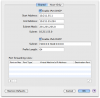
Check the network preferences and maybe restore the defaults:
Parallels Desktop -> Preferences -> Advanced -> Network: Change Settings...
Are you using the defaults?

Do you know why en1 has two IPv4 addresses?
 

Attachments

  • Shared Network Settings.png
    Shared Network Settings.png
    55.4 KB · Views: 13
Nope. Just File Sharing, Web Sharing, and Bluetooth Sharing.

Yes, it's in Shared Networking mode, and has been. Still no love...

Here's the report ID: 6878027

Hi,

It seems that there is a bug in Parallels Desktop 6.0.11822 when the option "Show Parallels Adapter in System Preferences" is on. The option was present in PD5 and was removed from GUI in PD6

There are two ways (peek which you like best):

1) Disable the option (recommended). To do so, press "Restore Defaults" from the dialog Parallels Desktop -> Preferences -> Advanced -> Network: Change Settings... and then fix DHCP-ranges to be required ones,

or

2) start the /Applications/Utilities/Terminal and execute next three commands:

Code:
sudo mkdir -p "/Library/Parallels/Parallels Service.app/Contents/PlugIns/Parallels Service.app/Contents/Kexts/10.6/"

sudo cp "/Library/Parallels/Parallels Service.app/Contents/Kexts/10.6/prl_vnic.kext/Contents/enX.plist" "/Library/Parallels/Parallels Service.app/Contents/PlugIns/Parallels Service.app/Contents/Kexts/10.6/"

sudo "/Library/Parallels/Parallels Service.app/Contents/PlugIns/Parallels Network Start.app/Contents/MacOS/prl_net_start" start
 
Aha! That last one got it. And since people may come across this thread who, like me, had set things up per the article linked above to access multiple local sites via Windows running in Parallels, I'll lay out what I did:

1) Use the instructions in Elric's post, just above, to get things into their default state, and then change the IP range if you need to (I use the 10.x.x.x range for other things, so for Parallels, I use address in the 172.31.x.x range)

2) Launch the Terminal (Applications>Utilities>Terminal) if it's not already running, and type: ifconfig

3) As joevt stated above "In Mac OS X, the Parallels shared networking interface is vnic0", so look for a block in the terminal output something like this:
Code:
vnic0: flags=8843<UP,BROADCAST,RUNNING,SIMPLEX,MULTICAST> mtu 1500
	ether 00:1c:42:00:00:08 
	inet6 fe80::21c:42ff:fe00:8%vnic0 prefixlen 64 scopeid 0x7 
	inet 172.31.0.2 netmask 0xffffff00 broadcast 172.31.0.255
	inet6 fec0:0:0:fea9::2 prefixlen 64 
	media: autoselect
	status: active

4) Note down the address after "inet" within the block (you'll note that mine was 172.31.0.2)

5) On the parallels virtual machine, you need to edit the hosts file, which can be found at this path under Windows XP:
Code:
C:\\WINDOWS\system32\drivers\etc\

6) Add lines corresponding to your sites as configured within apache, which will look something like this:
Code:
172.31.0.2      my.coolsite.com
172.31.0.2      apache_local

7) For details, you may find some parts of the originally linked article useful, but keep in mind that the options within Parallels changed with version 6, but hopefully the current post will help with that.

Good luck!
 
Wildcard host

Does anybody know how to use Acrylic (or a similar software) in Parallels to allow for a wildcard entry? Following the configuration instructions did not work out for me.

It would be nice not to have to define every local domain you want to access but instead just use something like
10.255.11.2 *.dev


OS X 10.6.5
Parallels 6.0.11828 with Windows 7
 
Last edited:
Worked for Windows 7 but not XP Pro?

I followed the instructions posted by Elric and yodarunamok, and they enabled me to "see" the Ruby on Rails application running in my iMac (2.8 GHz Intel Core i7, 16 GB 1067 MHz DDR3, Mac OS X v.10.6.6) from the Windows 7 Home Edition Professional VM running on Parallels Desktop 6 for Mac (Build 6.0.11992) via IE 8 and/or Firefox.

But I cannot "see" the app from a Windows XP Pro VM using either IE7. I have the same line in both hosts file (10.211.55.2 localhost), and I have tried to set up both VMs the same way. Why would the Windows 7 VM be able to access it while the Windows XP Pro VM cannot?

Thanks in advance for any ideas, information, or advice anyone can offer.

--Candace
 
Anything I need to know about making this work with Parallels 7 in 10.7.x lion? So far I'm not having any luck...

*EDIT*
Seems I just had to restart my virtual machine. Now it's working!
 
Last edited:
Back
Top