Is there a way to write a £ symbol?

Sorry, but Best Answer is not the best part in this link. It was rather for josho answer, how to install a keyboard.

It's a pity that you can't add another layout in the Mac.

And how about inserting an image ?

Thanks

Lastly, regarding your image insertion; I use photobucket to host my images. I'd suggest you use them also. I've never had an issue.

It sounds like the issue you're having is due to your image url changing or being removed. I use photobucket for all forum image posts.
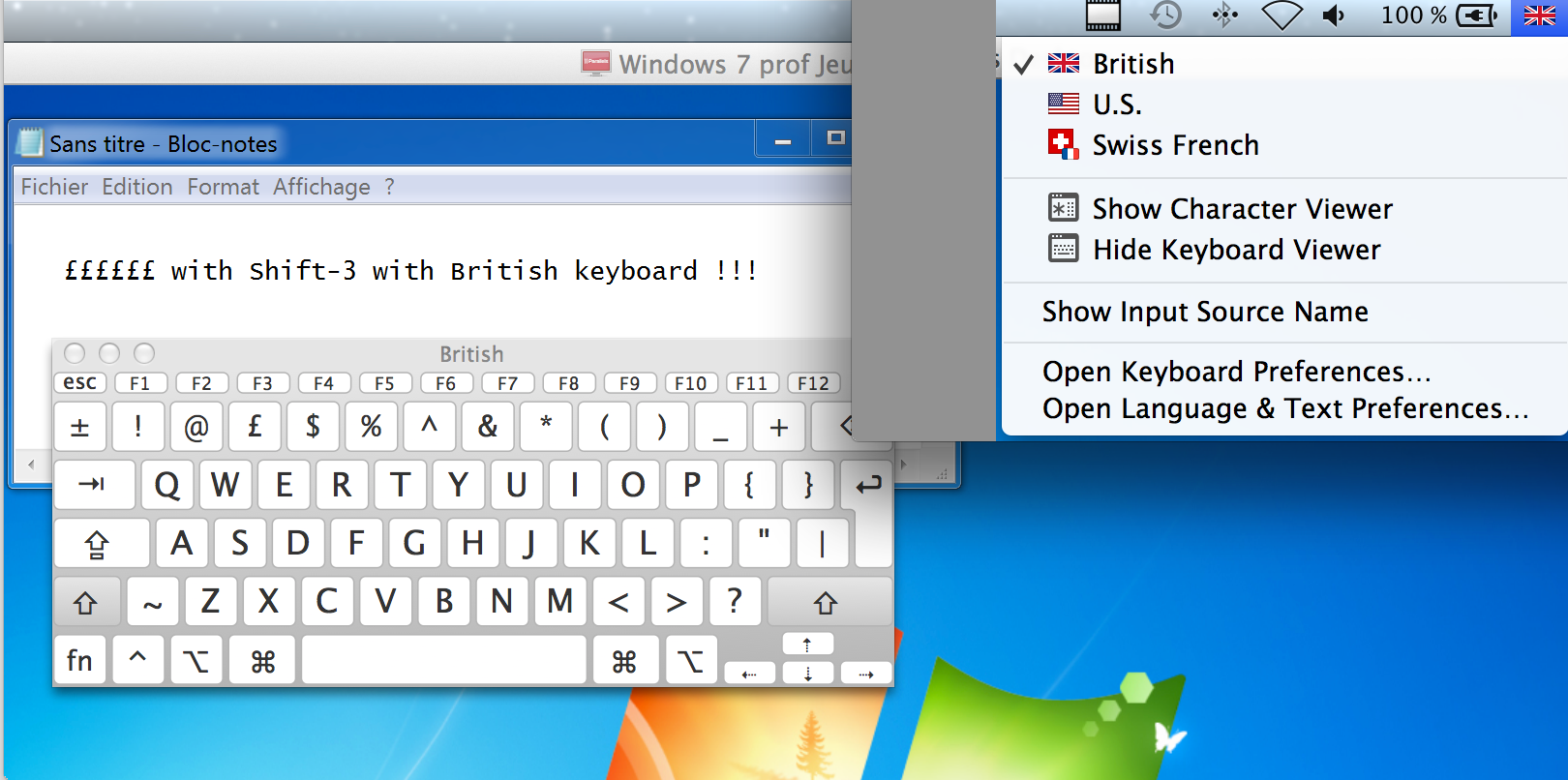
 
Please cancel my question, I had not seen the third line.

But did you use
or something else to insert it in the reply ?

[have to wait 5 minutes between two posts, hope you haven't replied in between ...]
 
If you use photobucket it provides the complete bbcode forum link or a direct link on your hosted image.

So to answer your question, I do use
 
Nice tip. Let me test it immediately with a screen capture showing ££££ written with Shift-3 :

bk2_zps4d6596a3.png


Will see if it works better.
 
I have a UK keyboard (well as much of one as Apple will allow) but the language on my mac is locked to US english, as is the keyboard.. which is why I believe we have different results.

Since you have a US keyboard mapping on the Mac side, you might be able to get your £ symbol with Option-3. Your IT department needs a good talking-to.

Cheers.
 
The problem with Option = Alt in Windows is that Alt puts the focus onto the menu bar, so that your can navigate in the menu and sub-menus with the cursor keys. How to change this behaviour ?
The Alt+number combination works well in the console.
 
The problem with Option = Alt in Windows is that Alt puts the focus onto the menu bar, so that your can navigate in the menu and sub-menus with the cursor keys. How to change this behaviour ?
The Alt+number combination works well in the console.

Option+3 was intended to get AGrace's £ glyph printing properly in OS X. For Windows, only Alt-0163 will work with a US keyboard mapping; it is a limitation within Windows itself.
 
Back
Top