Snow Leopard Server install error for Parallels 7 and 8

Alright, next round for me with Parallels Build 8.0.18494
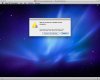
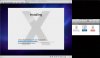
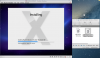
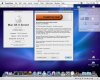
Trials with several .dmg, .iso., .cdr from Mac OS X Server Install Disc, same *can’t be installed*-result
Bildschirmfoto-2013-07-08-OS-X-Server-Install.jpg
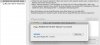
Now creating another .cdr from the OS X SL Server Install DVD like @MichaelLAX suggested and giving that a go tomorrow when it’s finshed writing
Bildschirmfoto-2013-07-08_DiscUtil_cdr.jpg
 
Last edited:
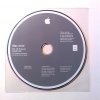
Thanks a lot for the offer MichaelLAX, but i’ve got a real Mac OS X Server Install Disc here from which i created the disc images.
OSX_ServerDisc_Foto.JPG
I simply cannot get install SL Server in Parallels with all efforts i made – any hints are very much appreciated.
 
Ah Hah!

That disc will only work to install SLS onto the original Mac Mini that came with that disc; it will NOT install into Parallels.

You need to purchase a new, fresh retail version of SLS (telephone orders only - USA & Canada: 800-MY-APPLE) $20 + S&H.
 
Last edited:
Germany

Here is this tip: http://forums.macrumors.com/showthread.php?p=17532667#post17532667

I just purchased Snow Leopard Server from the Apple Store in Germany. It costs EUR 23.95, including shipping (by regular mail). One has to place the order by telephone (0800 2000 136 within Germany). I could not find it online in the Apple Store; I learned about it here, in a post dated 15 April 2013:

http://www.giga.de/deals/snow-leopard-server-fur-24-euro-bei-apple-bestellen/

I believe they only deliver to addresses in Germany. So residents of other countries should phone their local Apple Store to see if they have the same type of offer.

Snow Leopard itself is available online, at least in the German Apple Store.

Many thanks for all the tips posted on this thread, I look forward to trying them when my disk arrives in the mail next week.
 
Last edited:
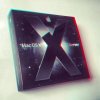
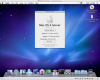
To make a long story short: Got a Mac OS X Leopard 10.5 Server Install Disc (instead of Snow Leopard).
Mac OS X Leopard Server 3D-image.JPG
ML > Parallels Build 8.0.18494 (latest Update won’t run yet) > Leopard 10.5 Server (Install from Disc) > Freehand MX
Up and running (slow).
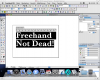
Freehand Not Dead! 2013-07-24.png
Thanks a lot @MichaelLAX!
 
Installing Snow Leopard (Server) works but using .Toast file

Installers.jpg

I was able to successfully install Snow Leopard using a Server disc image..however I had to open the .cdr...use toast to create a .toast file..then choose the toast file as the installing disc image.
Screen Shot 2014-02-12 at 6.38.22 PM.png

Hello! If anyone can help with this issue, much obliged. I am happy to answer any additional questions about my setup.

I am running a June 2012 MacBook Pro Retina with Mountain Lion. I have tried this with both Parallels 7 and Parallels 8 (both have been trials), the error is exactly the same. I am trying to install either Snow Leopard or Snow Leopard Server from an image (.dmg) file since I do not have an optical disc drive on the computer, and Parallels is not recognizing my USB optical disc.

Parallels installs fine, no problem. But when I select to install an OS from an image, I get an error for Snow Leopard or SLS. I would show you an image of the error message, but this forum isn't letting me add any attachments.

The error reads: "There is no operating system installed in this virtual machine. Please insert an operating system installation CD into the optical drive of your Mac and restart the virtual machine."

So, what can I try next to get this work? Like I said, I have images of both Snow Leopard and Snow Leopard Server. I also have both discs and a USB optical drive, but as I mentioned before, Parallels does not seem to recognize the USB optical disc drive.

Please and thank you so much!!
 

Attachments

  • Screen Shot 2014-02-12 at 5.08.51 PM.png
    Screen Shot 2014-02-12 at 5.08.51 PM.png
    527.9 KB · Views: 18
Last edited:
BAM! Now I can do things like print 3 slides on a page with my ACTUAL typed NOTES to the right of it each slide...so that when my CLIENT asks for it..I can deliver and deliver those notes to an editor! Thanks Microsoft for sending us back to NEEDING 2004!!!!

This is only ONE example of many why we need to go backwards..to get our shit done! Now I just have to bring back over my old toolbar settings..because guess what..you could do that back then. Save your toolbar setting in a file in case you had to move to another computer or reinstall. BAM..can't do that today!

Installed 2004.jpg
 
Love the custom toolbars!!! Which probably in this app STAYS on the screen EXACTLY WHERE YOU SET THEM and dont' move around just because you switched a windwo.... Can't do that now in the new Office 2011. The new and very limited custom toolbars blow. They took buttons away..and you have less control of how they stay.
 
Back
Top