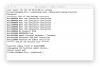
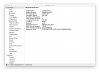
After I upgraded from OS X El Capitan to Sierra, whenever Parallels desktop starts, it disables built in camera on my MacBook Pro. After laptop boots, camera works with any application (photo booth, facetime, skype, vydio, etc), but as soon as I start Parallels, camera stops working (green light stops coming on). It happens without starting any virtual machines. I had Parallels 11, then I paid $49 and upgraded to 12 -- no difference. After I reboot, camera works as long as I do not start Parallels Desktop. My laptop is 2012 Retina MacBook Pro.

Install the app
How to install the app on iOS
Follow along with the video below to see how to install our site as a web app on your home screen.
Note: This feature may not be available in some browsers.
You are using an out of date browser. It may not display this or other websites correctly.
You should upgrade or use an alternative browser.
You should upgrade or use an alternative browser.
Parallels Desktop disables iSight Camera on Macbook Pro with OS X Sierra
- Thread starter BorisP1
- Start date
Called support, they checked my computer remotely and confirmed the defect. Bug was assigned to ticket: BZ link #PDFM-76181
GlennThomas
Member
I am having the exact same issue with Parallels 12 and Sierra any idea when a fix is coming
GlennThomas
Member
I am trying VMWare (cost me 80.00 to upgrade an old license), wish me luck I perfer Parallels over VMWare but I got to get the issue resolved
GlennThomas
Member
camera hardware has not change, the app that controls it has had minor changes (El Capitan and Sierra) codebase, this is really a Parallels issue they certify against apple not the other way around! Does anyone from Parallels read these posts? Just asking
GlennThomas
Member
any update on this case?Called support, they checked my computer remotely and confirmed the defect. Bug was assigned to ticket: BZ link #PDFM-76181
Simon_Forman
Bit poster
Indeed... any update on this? I need to reboot every time I use my VM.
GlennThomas
Member
I am now looking to convert my virtual machine to run on virtual box to try that .. 
I have the same issue! Techincian checked my computer remotely today also, I hope it can be solve.
Actually, this issue start from OS X 10.11 BETA but after release of 10.11 is no problem.
OSX 10.12 BEAT happened again until now even more serious, in my case, reboot can't solve this problem!
Temperately, I solve it by this way below...
1. Shutdown PARALLELS.
2. open Terminal
3. sudo rm Library/Preferences/com.apple.FaceTime.plist
4. reboot
And then you can use the built in camera, but it will disable again after you start again PARALLELS.
Actually, this issue start from OS X 10.11 BETA but after release of 10.11 is no problem.
OSX 10.12 BEAT happened again until now even more serious, in my case, reboot can't solve this problem!
Temperately, I solve it by this way below...
1. Shutdown PARALLELS.
2. open Terminal
3. sudo rm Library/Preferences/com.apple.FaceTime.plist
4. reboot
And then you can use the built in camera, but it will disable again after you start again PARALLELS.

Elric
Parallels Team
we are still working on the issue, but at the time there is a workaround: see http://kb.parallels.com/en/124015
There is a simple utility that restarts the facetime camera and make it work without reboot of Mac OS
There is a simple utility that restarts the facetime camera and make it work without reboot of Mac OS