Can't install Parallels Desktop 9 from 8. Says to install from disk image only.

SebastianP

Bit poster
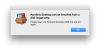
I've downloaded the DMG file from your server (ParallelsDesktop-9.0.24251.1052177.dmg) but when I double click it to install, I get the error message, "Parallels Desktop can be installed from a disk image only. Please open the Parallels Desktop DMG file and try again".

Am I opening it incorrectly?

MAC Sierra
Current Parallels vervion:
Build 8.0.18619

Thanks for your help.
 

Attachments

  • Screen Shot 2016-10-19 at 4.55.56 PM.png
    Screen Shot 2016-10-19 at 4.55.56 PM.png
    38 KB · Views: 17
Hello @SebastianP
Parallels Desktop 9 for Mac is not compatible with Mac OS Sierra and that's the reason you're unable to install it on your Mac. Please purchase Parallels Desktop 12 for Mac which is an optimized version of Mac OS Sierra. Please check this KB article to get trial for Parallels Desktop 12 for Mac.
 
I am outraged and will try to keep it politically correct. Really.

First I am recommended to uninstall and reinstall Parallels because it wouldn't start up because of a "driver problem", now, AFTER uninstalling I am told it is not compatible wit macOS Sierra anymore?
What kind of policy is this? I have BOUGHT this software! And it wasn't cheap to claim it's functionality for only two years!

As a student I cannot afford to buy the same software every other two years just because it has gone "incompatible"! Every other piece of software works perfectly fine, and if it doesn't there's a free update within days.

I get it, Parallels integrates deeper into the system, but ist not like you're reinventing the wheel, you're adjusting to updated apis, like everyone else does.

This is how you get people to pirate software. Those will never suffer from limitations, like your legal customers do.

I really, REALLY, regret buying this software. If theres no solution you can provide to this, I will never again.

Thanks for nothing,
a disappointed customer.
 
I've downloaded the DMG file from your server (ParallelsDesktop-9.0.24251.1052177.dmg) but when I double click it to install, I get the error message, "Parallels Desktop can be installed from a disk image only. Please open the Parallels Desktop DMG file and try again".

Am I opening it incorrectly?

MAC Sierra
Current Parallels vervion:
Build 8.0.18619

Thanks for your help.

I had the same warning with v10 in Sierra, but installed it by running the prl_client_app inside the 'Parallels Desktop.app' on the dmg.
 
I had the same warning with v10 in Sierra, but installed it by running the prl_client_app inside the 'Parallels Desktop.app' on the dmg.
New installation of Parallels Desktop 10 will not work on Sierra. If you have upgraded to Sierra with Parallels Desktop 10 then you continue using it but there are some limitations. Refer this article.
 
I am outraged and will try to keep it politically correct. Really.

First I am recommended to uninstall and reinstall Parallels because it wouldn't start up because of a "driver problem", now, AFTER uninstalling I am told it is not compatible wit macOS Sierra anymore?
What kind of policy is this? I have BOUGHT this software! And it wasn't cheap to claim it's functionality for only two years!

As a student I cannot afford to buy the same software every other two years just because it has gone "incompatible"! Every other piece of software works perfectly fine, and if it doesn't there's a free update within days.

I get it, Parallels integrates deeper into the system, but ist not like you're reinventing the wheel, you're adjusting to updated apis, like everyone else does.

This is how you get people to pirate software. Those will never suffer from limitations, like your legal customers do.

I really, REALLY, regret buying this software. If theres no solution you can provide to this, I will never again.

Thanks for nothing,
a disappointed customer.
I agree with MikeH5 in every way, and thanks for reminding me of piracy, I almost forgot.
Parallels, I am done with you, and I will from now on advise everyone not to pay for your products.
 
  • Like
Reactions: CMF
Well, it turns out that the link that the link in the purchase mail led to a non-functioning dmg.
When downloading from here: http://www.parallels.com/products/desktop/download/ it works.

It's just sad, they made a good product, and they drove us away just because they were too much after the money. Well, when I have time, I'm gonna move to Linux, where VMs are high-quality, free and even gratis.
 
  • Like
Reactions: CMF
I tried below. Installation looks success. Just look my suggestion.
1. hdiutil attach ParallelsDesktop-9.0.24251.1052177.dmg
2. cd /Volumes/Parallels\ Desktop\ 9/
3. ./Install.app/Contents/MacOS/Install
4. If there is an error, ignore, close
5. Open dashboard and execute Parallels Desktop 9
 
I tried below. Installation looks success. Just look my suggestion.
1. hdiutil attach ParallelsDesktop-9.0.24251.1052177.dmg
2. cd /Volumes/Parallels\ Desktop\ 9/
3. ./Install.app/Contents/MacOS/Install
4. If there is an error, ignore, close
5. Open dashboard and execute Parallels Desktop 9
Let us know in which macOS X version you have installed Parallels Desktop 9 using these steps.
 
I also now have the problem with Parallels Version 11 on High Sierra. Not installable!!!! I am also very disappointed with the way you handle paying Customers.
Wate the f**k do I pay for your Software and with every second version of OSx I have to fear non working Software? This is really bad attitude
and without meaning I Will act so. Do not wonder if peace steal your software. For me this is the end of our relationship until you find a way to make me
different about you. There is already other software on market being as good as you. Don't forget about that. I'll move to VMware fusion now I guess.
Said said Customer!!
 
Below is what worked for me, I just reinstalled Parallels Desktop 9 on macOS Mojave 10.14.4

1. Mount ParallelsDesktop-9.0.24251.1052177.dmg so the volume Parallels Desktop 9 appears on your desktop.

2. Open a new terminal window and paste the command below.

3. /Volumes/Parallels\ Desktop\ 9/Parallels\ Desktop.app/Contents/MacOS/prl_client_app

4. Enter your password, press enter and the install process will begin.
 
Below is what worked for me, I just reinstalled Parallels Desktop 9 on macOS Mojave 10.14.4

1. Mount ParallelsDesktop-9.0.24251.1052177.dmg so the volume Parallels Desktop 9 appears on your desktop.

2. Open a new terminal window and paste the command below.

3. /Volumes/Parallels\ Desktop\ 9/Parallels\ Desktop.app/Contents/MacOS/prl_client_app

4. Enter your password, press enter and the install process will begin.
Great post, but please don't forget that Parallels Desktop 9 is not compatible with Mac OS Mojave and we won't be able to resolve any issues with 9 version on Mojave.
 
I tried below. Installation looks success. Just look my suggestion.
1. hdiutil attach ParallelsDesktop-9.0.redtube24251.1052177.dmg
2. cd /Volumes/Parallels\ Desktop\ 9/
3. ./Install.app/Contents/MacOS/Install
4. If there is an error, ignore, close
5. Open dashboard and execute Parallels Desktop 9
 
Back
Top