I too have the same or very similar problem today. At startup Windows installed an update. The update took quite a while to install which was the first sign of concern. After the update did install I basically just get a black screen and a severely disabled iMac. I don't use the Windows VM daily, however I was working in Windows just fine earlier in the week. It must be something tied to the recent update for Windows this week.

Install the app
How to install the app on iOS
Follow along with the video below to see how to install our site as a web app on your home screen.
Note: This feature may not be available in some browsers.
You are using an out of date browser. It may not display this or other websites correctly.
You should upgrade or use an alternative browser.
You should upgrade or use an alternative browser.
Windows 10 fails to boot
- Thread starter DavidB27
- Start date

Great GrahamW4! Feel free to reach out anytime. We are here to help! ThanksResetting the VM didn't work for me, however after reinstalling Parallel Tools things appear to be working OK again for the moment. I have my fingers crossed and Daumen gedruckt that this has fixed the problem experienced yesterday.
Hello Guys, please be informed that Parallels Desktop 12 Update 1 (12.1.0-41489) was released and the issue has been addressed. Please update Parallels Desktop to the latest build. Latest version always available here: www.parallels.com/directdownload/pd12 Please note that Parallels Tools also needs to be updated (Actions > Update Parallels Tools) and let us know how it works. Thanks!
Hello Guys, please be informed that Parallels Desktop 12 Update 1 (12.1.0-41489) was released and the issue has been addressed. Please update Parallels Desktop to the latest build. Latest version always available here: www.parallels.com/directdownload/pd12 Please note that Parallels Tools also needs to be updated (Actions > Update Parallels Tools) and let us know how it works. Thanks!
Hello. Sorry, but where can I find "Actions > Update Parallels Tools"? I have the Parallels Control Center Open, and I don't see it in the various sub-menus. thanks.
Start your virtual machine and in the Mac menu click on Actions (Virtual Machine in older versions) > Install Parallels Tools (or Reinstall / Update Parallels Tools, if applicable) Please check out this article to know how to reinstall Parallels Tools and let us know how it works.Hello. Sorry, but where can I find "Actions > Update Parallels Tools"? I have the Parallels Control Center Open, and I don't see it in the various sub-menus. thanks.
Start your virtual machine and in the Mac menu click on Actions (Virtual Machine in older versions) > Install Parallels Tools (or Reinstall / Update Parallels Tools, if applicable) Please check out this article to know how to reinstall Parallels Tools and let us know how it works.
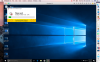
I found it ... but selecting Install Parallels Tools didn't work. seems like it crashes too soon after trying to automatically install parallel tools. below is a screen shot ... with the dialog box showing parallels is trying to update tools. it crashes right at about 10%. After the crash, it does send a problem report to parallels ... the most recent on has and ID number of 128919986.
should I uninstall parallels and windows and reinstall? if so, I assume that I will be able to reuse the software Keys, right?
Last edited:
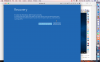
 It seems to be working now.
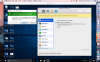
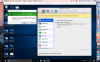
I opened Configure under Actions while Parallels was trying to update Tools (before it got to 10%) ... see screenshot below ... and just let it sit and the update got to 100%. I restarted Windows, and its been working since. see screen shots. Probably just coincidence, but I am happy to be up and running.
Great! Feel free to reach out anytime. We are here to help!View attachment 11884 It seems to be working now.
I opened Configure under Actions while Parallels was trying to update Tools (before it got to 10%) ... see screenshot below ... and just let it sit and the update got to 100%. I restarted Windows, and its been working since. see screen shots. Probably just coincidence, but I am happy to be up and running.
View attachment 11883