
Install the app
How to install the app on iOS
Follow along with the video below to see how to install our site as a web app on your home screen.
Note: This feature may not be available in some browsers.
You are using an out of date browser. It may not display this or other websites correctly.
You should upgrade or use an alternative browser.
You should upgrade or use an alternative browser.
Mac keyboard on Windows 10
- Thread starter VassiliC
- Start date
P
Pradeep@Parallels
Hello VassiliC, looks like the issue need a deeper investigation.Parallels 12 and Windows 10 VM
Mac layout doesn't work on windows 10
Please provide us the detailed description of the issue along with the screenshot and we will be happy to help!
P
Pradeep@Parallels
Hi VassiliC, please follow the steps below and check if that makes any changes.Hello,
Please find attached a description of the problem
password : keyboard
Thank you.
Best regards
open Parallels Desktop preferences by selecting > Parallels icon on the right top corner > Preferences > Shortcuts> Keyboard menu > Restore Defaults.
And let us know if that makes any changes.
P
Pradeep@Parallels
If the above steps doesn't work please try to reinstall Parallels tools manually and check if that makes any changes.

Maria@Parallels
Problem solver
Hello
Thank you for your tips. I have tried each of them but unfortunately none of them switch the keyboard of my windows 7 as a Mac keyboard.
I don't know what I can tell you more. I have a Mac and when I run Windows 7 with Parallels, the layout of my mac keyboard is not utilized, only Windows keyboard layout is active.
When I type the key ! (number 8) it write _ on Windows 7 not ! so it is difficult to use it when writing scripts or coding as you can easily imagine
Thank you for your tips. I have tried each of them but unfortunately none of them switch the keyboard of my windows 7 as a Mac keyboard.
I don't know what I can tell you more. I have a Mac and when I run Windows 7 with Parallels, the layout of my mac keyboard is not utilized, only Windows keyboard layout is active.
When I type the key ! (number 8) it write _ on Windows 7 not ! so it is difficult to use it when writing scripts or coding as you can easily imagine
Raj@Parallels
Guest
For Keyboard layout issue in Windows virtual machine, please follow the steps.Hello
Thank you for your tips. I have tried each of them but unfortunately none of them switch the keyboard of my windows 7 as a Mac keyboard.
I don't know what I can tell you more. I have a Mac and when I run Windows 7 with Parallels, the layout of my mac keyboard is not utilized, only Windows keyboard layout is active.
When I type the key ! (number 8) it write _ on Windows 7 not ! so it is difficult to use it when writing scripts or coding as you can easily imagine

Great! Feel free to reach out anytime. We are here to help!Thank you very much. This has fixed my issue.
Best regards
Aleksandr7
Bit poster
Good day.
I have same problem. I've created custom keyboard layout. But it is unavailable in virtual Win10, only standard Apple layout. What must I do?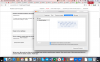
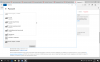
I have same problem. I've created custom keyboard layout. But it is unavailable in virtual Win10, only standard Apple layout. What must I do?