
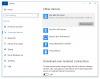
I just purchased a microscope camera that uses USB 3.0. My MacBook has USB 3.0 ports, but when I connect the device to my virtual machine, it no longer recognizes the port as USB 3.0. I suspected this was the case after discussing the error message I was receiving on the software connected to the camera; and confirmed my suspicion when I looked at the "connected devices" under Windows device settings. Here I see a message for my camera noting "Device can perform faster when connected to USB 3.0"
I am using Windows 10 Education via Parallels 12.1.1 on my MacBook Pro (Retina 13", early 2015) running OSX 10.11.16.
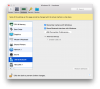
I have already configured my settings for this virtual machine, and have checked the box to "Enable USB 3.0" under the USB & Bluetooth hardware settings. I haven't found any further suggestions on the forum to advise me on this issue.
Please advise.
I am using Windows 10 Education via Parallels 12.1.1 on my MacBook Pro (Retina 13", early 2015) running OSX 10.11.16.
I have already configured my settings for this virtual machine, and have checked the box to "Enable USB 3.0" under the USB & Bluetooth hardware settings. I haven't found any further suggestions on the forum to advise me on this issue.
Please advise.


 and it still functions as usb2. Thank you for your help!