Parallels Desktop 12 with Windows 10 - USB 3 issue

WendyE

Bit poster
I just purchased a microscope camera that uses USB 3.0. My MacBook has USB 3.0 ports, but when I connect the device to my virtual machine, it no longer recognizes the port as USB 3.0. I suspected this was the case after discussing the error message I was receiving on the software connected to the camera; and confirmed my suspicion when I looked at the "connected devices" under Windows device settings. Here I see a message for my camera noting "Device can perform faster when connected to USB 3.0"
I am using Windows 10 Education via Parallels 12.1.1 on my MacBook Pro (Retina 13", early 2015) running OSX 10.11.16.
I have already configured my settings for this virtual machine, and have checked the box to "Enable USB 3.0" under the USB & Bluetooth hardware settings. I haven't found any further suggestions on the forum to advise me on this issue.
Please advise.
 
Hi WendyE, did you install any third party USB 3.0 driver for your Microscope camera? To be able to use a USB device with Windows programs, you may need to install Windows drivers for the device. Typically you can download drivers from the manufacturer's website.
 

Attachments

  • Screen Shot 2017-03-31 at 3.27.27 PM.png
    Screen Shot 2017-03-31 at 3.27.27 PM.png
    334.5 KB · Views: 10
  • Screen Shot 2017-03-31 at 3.27.11 PM.png
    Screen Shot 2017-03-31 at 3.27.11 PM.png
    150.2 KB · Views: 9
Thanks for the reply. I did indeed already install the driver from here:
https://www.theimagingsource.com/products/microscope-cameras/usb-3.0-color/dfkmku13010x22/
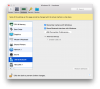
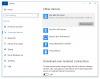
I'm attaching screen captures that indicate I have enabled USB 3 and that the device is recognized by the virtual machine but does not appear to be recognizing the port as USB 3. Please advise. Thanks, Wendy
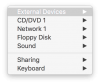
We have reviewed the screenshot and it looks like your DFK MKU130 camera is connected in Windows Virtual Machine. Please click on Devices (At the Mac menu toolbar) > External Devices and check your camera is checked or not.
 
The screen capture doesn't show it, but, yes, I already did this. If I had not done so, I don't imagine the device would show that it was connected via the Windows menu - but regardless, yes, I can confirm that I've properly connected the device to the computer and virtual machine. Again, the issue is not that the device isn't connected but that it's not properly recognizing that the device is connected to a USB 3.0 port.
 

Attachments

  • Screen Shot 2017-03-31 at 3.27.36 PM.png
    Screen Shot 2017-03-31 at 3.27.36 PM.png
    39.6 KB · Views: 6
The screen capture doesn't show it, but, yes, I already did this. If I had not done so, I don't imagine the device would show that it was connected via the Windows menu - but regardless, yes, I can confirm that I've properly connected the device to the computer and virtual machine. Again, the issue is not that the device isn't connected but that it's not properly recognizing that the device is connected to a USB 3.0 port.
Dear WendyE, please follow the steps to fix the issue:
1. Disable shared webcam, shared Bluetooth and shared printers in VM configuration
2. Add the next system flags to VM configuration:
devices.usb.mouse=0; devices.usb.keyboard=0; devices.usb.loglevel=2;
3. Enable USB 3.0 support
4. Connect the Camera to Windows virtual machine and check if it works or not.
 
Hi @WendyE, please be informed that Parallels Desktop 12 Update 12.2 (41591) was released and the issue has been addressed. Please update Parallels Desktop to the latest build. Please note that Parallels Tools also needs to be updated (Actions > Update Parallels Tools) and let us know how it works.
 
Hi, I have a similar issue with Parallels version 14 (14.1.3 (45485)) in Mojave. I tried updating the drivers on Windows side but to no avail. Diagnostic information says that the camera is connected to a usb hub where other devices are connected and that these should be disconnected. Since I use only one usb port for the camera it must be that other elements use the usb link. I checked that the integrated macbook pro webcam is not shared. I added the boot flags (devices.usb.mouse=0; devices.usb.keyboard=0; devices.usb.loglevel=2;) and it still functions as usb2. Thank you for your help!
 
Hi, I have a similar issue with Parallels version 14 (14.1.3 (45485)) in Mojave. I tried updating the drivers on Windows side but to no avail. Diagnostic information says that the camera is connected to a usb hub where other devices are connected and that these should be disconnected. Since I use only one usb port for the camera it must be that other elements use the usb link. I checked that the integrated macbook pro webcam is not shared. I added the boot flags (devices.usb.mouse=0; devices.usb.keyboard=0; devices.usb.loglevel=2;) and it still functions as usb2. Thank you for your help!
Hi, what is your Parallels Desktop version?
Did you test the same behavior with the Parallels Desktop 16 trial version?
 
Hi, what is your Parallels Desktop version?
Did you test the same behavior with the Parallels Desktop 16 trial version?
Hi, I'm suffering a similar issue with a recently acquired webcam. Dell UltraSharp Webcam (WB7022). If I enable USB 3.0 in Parallels and connect the camera to my VM it does not work, however, if I connect the camera as USB 2 it works but not 4K which is what I wanted. Any possible ideas?
Of course, I disabled shared webcam, shared bluetooth and shared printers to pass it through to my Windows 10 VM.
 
Back
Top