Toolbox does not shows it's icon in the Dock even it's started

SungphilH

Bit poster
Hi,

I have a problem on launching The Parallels Toolbox.
I can see the process it's running (/Applications/Parallels Toolbox.app/Contents/MacOS/Parallels Toolbox --show-ui)
But it does not show icon in the Title/Dock.
I'm using OSX Sierra (10.12.4) and this problem start happen since I re-installed it.
I tried to fix it by re-installing but it does not work any more.
I can see the individual program is executable (open directly from the inside of package).
Could you please let me know if there is any fix or how can I make clean install.

Thanks.
 
Hi Hemnath,
Yes, it's not on the menu bar.
If I explain more detail the problem, I actually tried to move the application to the other folder and it made some duplication of the icons in the tool box container. I just ignored them and used and the tool box icon it self just disappeared suddenly.
Thanks.
 

Attachments

  • SS - Parallels Toolbox.png
    SS - Parallels Toolbox.png
    51.2 KB · Views: 9
Yes, it's not on the menu bar.
Not to refute what you said earlier, but I can't tell whether Parallels Toolbox is actually running on your system.
I can see the individual program is executable (open directly from the inside of package).
By this statement, are you referring to this location: Finder -> Go -> Applications? If not, please go to the said location, look for the application 'Parallels Toolbox' and double-click on it to open it. See if this makes a difference.
 
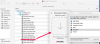
I'm attaching the screen, I could run the 'Download Video.app' by Finder -> Go -> Applications -> Parallel Toolbox.app -> "Show Package Contents" -> 'Download Video.app'.
As I mentioned before, I can't see the Parallel Toolbox it self (the main app contains all apps). So, I tried to open the package.
And beside of that, I can see the toolbox it self is not running ( not in the list of app can quit ).
Thanks.
 

Attachments

  • SS - Parallels Toolbox 2.png
    SS - Parallels Toolbox 2.png
    141.3 KB · Views: 6
Hi,

I have a problem on launching The Parallels Toolbox.
I can see the process it's running (/Applications/Parallels Toolbox.app/Contents/MacOS/Parallels Toolbox --show-ui)
But it does not show icon in the Title/Dock.
I'm using OSX Sierra (10.12.4) and this problem start happen since I re-installed it.
I tried to fix it by re-installing but it does not work any more.
I can see the individual program is executable (open directly from the inside of package).
Could you please let me know if there is any fix or how can I make clean install.

Thanks.

Hi SungphilH,
To rectify this, please force quit the Parallels Toolbox process from the Activity Monitor.
Run the below command in Terminal:
rm -rf ~/Library/Application\ Support/com.parallels.toolbox
Note: some Toolbox settings such as icons pinned to the system menu and the list of the launched tools may reset though.
Let us know if that helped.
 
Hi Danil,
Great ! it works !
Now I can see the Toolbox icon in the top menu ! :D
Thank you so much for your great support !
 
I am having the same issue. However the steps that Danil posted did not fix it for me. When I go into activity monitor it show that Parallels Toolbox is "Not Responding". After force quitting the process, I deleted the application and reinstalled. It still went into a "Not Responding" state.
 
I am having the same issue. However the steps that Danil posted did not fix it for me. When I go into activity monitor it show that Parallels Toolbox is "Not Responding". After force quitting the process, I deleted the application and reinstalled. It still went into a "Not Responding" state.
Hi @BryanW1, please update Parallels Toolbox to the latest build 1.7.0 (1026) and keep us posted the results.
 
Back
Top