Workaround for High Sierra Beta 4 issue with shared settings?

Lee Clayton

Bit poster
I am running High Sierra macOS13 beta4 and have lost the ability to access internet via the parallel VM that is running Windows 7. I assume this is the the Shared services setting between Mac/Windows through Parallells. I am running the very latest Parallels official release Version 12.2.1 (41615). Anyone else having this issue and have a workaround solution? Any beta version past 4.16.15???

 
I am running High Sierra macOS13 beta4 and have lost the ability to access internet via the parallel VM that is running Windows 7. I assume this is the the Shared services setting between Mac/Windows through Parallells. I am running the very latest Parallels official release Version 12.2.1 (41615). Anyone else having this issue and have a workaround solution? Any beta version past 4.16.15???
If you are using shared networking mode try changing it to bridged and check.
 
If you are using shared networking mode try changing it to bridged and check.
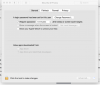
I have the same problem, using Windows 10. I get the message "Open the macOS System Preferences > Security & Privacy > General and click "Allow" next to the phrase about "Parallels, Inc.". Then restart Parallels Desktop from the /Applications folder. " , but when I go to Security and Privacy > General, there is no phrase about Parallels Inc and thus no box to check. I have lost access now to Parallels since the update High Sierra version 10.13 Beta (17A315i). What should I do?Screen Shot 2017-08-05 at 13.11.17.pngScreen Shot 2017-08-05 at 13.11.17.png Screen Shot 2017-08-05 at 13.25.16.png
 
I have the same problem, using Windows 10. I get the message "Open the macOS System Preferences > Security & Privacy > General and click "Allow" next to the phrase about "Parallels, Inc.". Then restart Parallels Desktop from the /Applications folder. " , but when I go to Security and Privacy > General, there is no phrase about Parallels Inc and thus no box to check. I have lost access now to Parallels since the update High Sierra version 10.13 Beta (17A315i). What should I do?View attachment 12740View attachment 12740 View attachment 12741
Hi @JohanF,
As macOS High Sierra is not officially released it is not supported by us. You can try disabling System Integrity Protection and check if you can use Parallels Desktop.
Follow these steps to disable SIP:
* Restart your Mac.
* Before OS X starts up, hold down Command-R and keep it held down until you see an Apple icon and a progress bar. Release. This boots you into Recovery.
* From the Utilities menu, select Terminal.
* At the prompt type exactly the following and then press Return: csrutil disable
* Terminal should display a message that SIP was disabled.
* From the menu, select Restart.
* You can re-enable SIP by following the above steps, but using csrutil enable instead.
 
Hi @JohanF,
As macOS High Sierra is not officially released it is not supported by us. You can try disabling System Integrity Protection and check if you can use Parallels Desktop.
Follow these steps to disable SIP:
* Restart your Mac.
* Before OS X starts up, hold down Command-R and keep it held down until you see an Apple icon and a progress bar. Release. This boots you into Recovery.
* From the Utilities menu, select Terminal.
* At the prompt type exactly the following and then press Return: csrutil disable
* Terminal should display a message that SIP was disabled.
* From the menu, select Restart.
* You can re-enable SIP by following the above steps, but using csrutil enable instead.
Indeed, this works. And hopefully the Parrellels update will come soon so I can revert back the SIP settings. Thx PaulChris.
 
Hello, guys. After reading the whole post, we can get solutions to deal with the trouble quickly and safely. Thanks for your nice sharing.
 
Back
Top