
Install the app
How to install the app on iOS
Follow along with the video below to see how to install our site as a web app on your home screen.
Note: This feature may not be available in some browsers.
You are using an out of date browser. It may not display this or other websites correctly.
You should upgrade or use an alternative browser.
You should upgrade or use an alternative browser.
Anybody found the so called Touch Bar Wizard?
- Thread starter MortenL
- Start date

richfbrown
Member
I can't find it either.

Dmitry Geynisman
Parallels Team
Hi guys, please use this article to configure Touch Bar for a Windows program: http://kb.parallels.com/en/124268
Let me know if everything is OK with the program you want to configure Touch Bar for.
We did our best to support every Windows program, but considering the variety of them..
Let me know if everything is OK with the program you want to configure Touch Bar for.
We did our best to support every Windows program, but considering the variety of them..
richfbrown
Member
I don't see any built in support, the touch bar only has function keys. I also don't see a Customize Touch Bar... menu item under View
Dmitry Geynisman
Parallels Team
This is interesting.. Can you please send a technical report via Help menu > Send Technical Data...I don't see any built in support, the touch bar only has function keys. I also don't see a Customize Touch Bar... menu item under View
Please post the report ID here.
richfbrown
Member
OK, the ID is 207089412
richfbrown
Member
And I was just sent the same link that you sent above.
Dmitry Geynisman
Parallels Team
Thank you! I see that you're running Windows 7, you supposed to have Touch Bar support for at least Windows Explorer and browsers (Chrome, IE, etc). Microsoft Office programs are supported in Windows 10 only.OK, the ID is 207089412
Also, the 'Customize Touch Bar...' option should be available in View menu of the virtual machine. Am I right that you simply don't have it there?
Hi guys, please use this article to configure Touch Bar for a Windows program: http://kb.parallels.com/en/124268
Let me know if everything is OK with the program you want to configure Touch Bar for.
We did our best to support every Windows program, but considering the variety of them..
Thank you! I see that you're running Windows 7, you supposed to have Touch Bar support for at least Windows Explorer and browsers (Chrome, IE, etc). Microsoft Office programs are supported in Windows 10 only.
Also, the 'Customize Touch Bar...' option should be available in View menu of the virtual machine. Am I right that you simply don't have it there?
Correct. Not visible in the view settings menu of any Office 2016 App or Windows-10 services you've listed.
richfbrown
Member

StanislavZ
Hunter
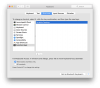
Please make sure Parallels Desktop and any shared apps are not set to display Function keys in System Preferences - Keyboard - Shortcuts - Function Keys.
If there are, remove them (using "-") and restart Parallels Desktop.
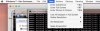
While in Coherence, you may customise touchbar via activating corresponding Windows shared app and selecting View - Customize Touch Bar...
If there are, remove them (using "-") and restart Parallels Desktop.
While in Coherence, you may customise touchbar via activating corresponding Windows shared app and selecting View - Customize Touch Bar...
Attachments
richfbrown
Member
I removed Parallels from the System Preferences - Keyboard - Shortcuts - Function Keys and restarted Parallels, but I still do not see the View - Customize Touch Bar... menu item.
Dmitry Geynisman
Parallels Team
@richfbrown, is there a chance we could take a look at this situation remotely?I removed Parallels from the System Preferences - Keyboard - Shortcuts - Function Keys and restarted Parallels, but I still do not see the View - Customize Touch Bar... menu item.
richfbrown
Member
We can schedule a time to do that. I do see that I am now getting the default Touch Bar icons for the VM (task bar buttons) and for Windows Explorer, but I still don't see the View - Customize Touch Bar... menu item. On another note, Coherence does not seem to be working properly, as the various windows/apps within Parallels will not come to the foreground when clicked. Coherence worked fine before installing Parallels 13.
richfbrown
Member
Another observation: When in Coherence mode, I can see the View - Customize Touch Bar... menu item for individual Windows apps I am using. As stated above, though, Coherence mode is not usable as windows do not get focus when clicked on.
Dmitry Geynisman
Parallels Team
Thank you for your cooperation, I will create a ticket and we will contact further you via email.We can schedule a time to do that. I do see that I am now getting the default Touch Bar icons for the VM (task bar buttons) and for Windows Explorer, but I still don't see the View - Customize Touch Bar... menu item. On another note, Coherence does not seem to be working properly, as the various windows/apps within Parallels will not come to the foreground when clicked. Coherence worked fine before installing Parallels 13.
Removing Parallels Desktop from Function Keys setting and restarting Parallels --- did the trick. Thanks.@richfbrown, is there a chance we could take a look at this situation remotely?