
Install the app
How to install the app on iOS
Follow along with the video below to see how to install our site as a web app on your home screen.
Note: This feature may not be available in some browsers.
You are using an out of date browser. It may not display this or other websites correctly.
You should upgrade or use an alternative browser.
You should upgrade or use an alternative browser.
PD 13.1 : Windows 10 white screen on GeForce 9600
- Thread starter FanJoe
- Start date

Alfena@Parallels
Pro
Hello @FanJoe ,
please open virtual machine configuration http://kb.parallels.com/117287, go to Hardware Tab > Graphics > Advanced settings >3D acceleration =Direct X 9 (or)Disable and increase video memory to 512MB then restart Windows and follow the steps provided at http://kb.parallels.com/112476 and check if it works.
please open virtual machine configuration http://kb.parallels.com/117287, go to Hardware Tab > Graphics > Advanced settings >3D acceleration =Direct X 9 (or)Disable and increase video memory to 512MB then restart Windows and follow the steps provided at http://kb.parallels.com/112476 and check if it works.
If everything works fine with Parallels 13.0 then Parallels 13.1 should be avoided until a "hotfix" is released.No. I have reinstalled PD 13.0 and everything works fine.
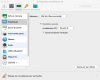
Windows 10 on PD 13.1 configured with DirectX 9 works now fine.
Thanks Alfena!
Glad to know that you were able to sort out the issue. Please get back to us for any further queries. Thanks!
Hello,
Just to let you know, same problem on good old mac pro 4.1 with Geforce GT 120
switching to DirectX 9 solve the issue
more details :
mac pro 4.1 (early 2009)
OS X 10.11.6 using default graphic driver (did not try using nvidia provided driver)
Geforce GT 120
Parallels just upgraded from 12 to 13.1.0 (43108)
Just to let you know, same problem on good old mac pro 4.1 with Geforce GT 120
switching to DirectX 9 solve the issue
more details :
mac pro 4.1 (early 2009)
OS X 10.11.6 using default graphic driver (did not try using nvidia provided driver)
Geforce GT 120
Parallels just upgraded from 12 to 13.1.0 (43108)
Alfena@Parallels
Pro
Alfena@Parallels
Pro
Hello @PhilippB2 ,
please click on the link http://download.parallels.com/desktop/v13/13.0.1-42947/ParallelsDesktop-13.0.1-42947.dmg to download Parallels Desktop 13.0.
Thanks
please click on the link http://download.parallels.com/desktop/v13/13.0.1-42947/ParallelsDesktop-13.0.1-42947.dmg to download Parallels Desktop 13.0.
Thanks
Alfena@Parallels
Pro
Hello @PhilippB2 , You're welcome. we are always here to help.
After downgrading to the previous version I could set it back to DirectX 10 and it's working again.
I will leave it like that for now.
I'm using an old MBP 15" early 2008 with OSX 10.11 El Capitan and I'm just fulfilling the minimum requirements for Parallels Desktop 13 but it's working fine.
I'm actually suprised how well my machine runs with such a recent OSX AND a Windows 10 home VM on top of that, watching online series with Chrome running inside the VM.
I will leave it like that for now.
I'm using an old MBP 15" early 2008 with OSX 10.11 El Capitan and I'm just fulfilling the minimum requirements for Parallels Desktop 13 but it's working fine.
I'm actually suprised how well my machine runs with such a recent OSX AND a Windows 10 home VM on top of that, watching online series with Chrome running inside the VM.

Yes, that's great @FanJoe we love to have a customer like you! Feel free to reach out anytime.Issue resolved with version 13.1.1 (43120) of PD.